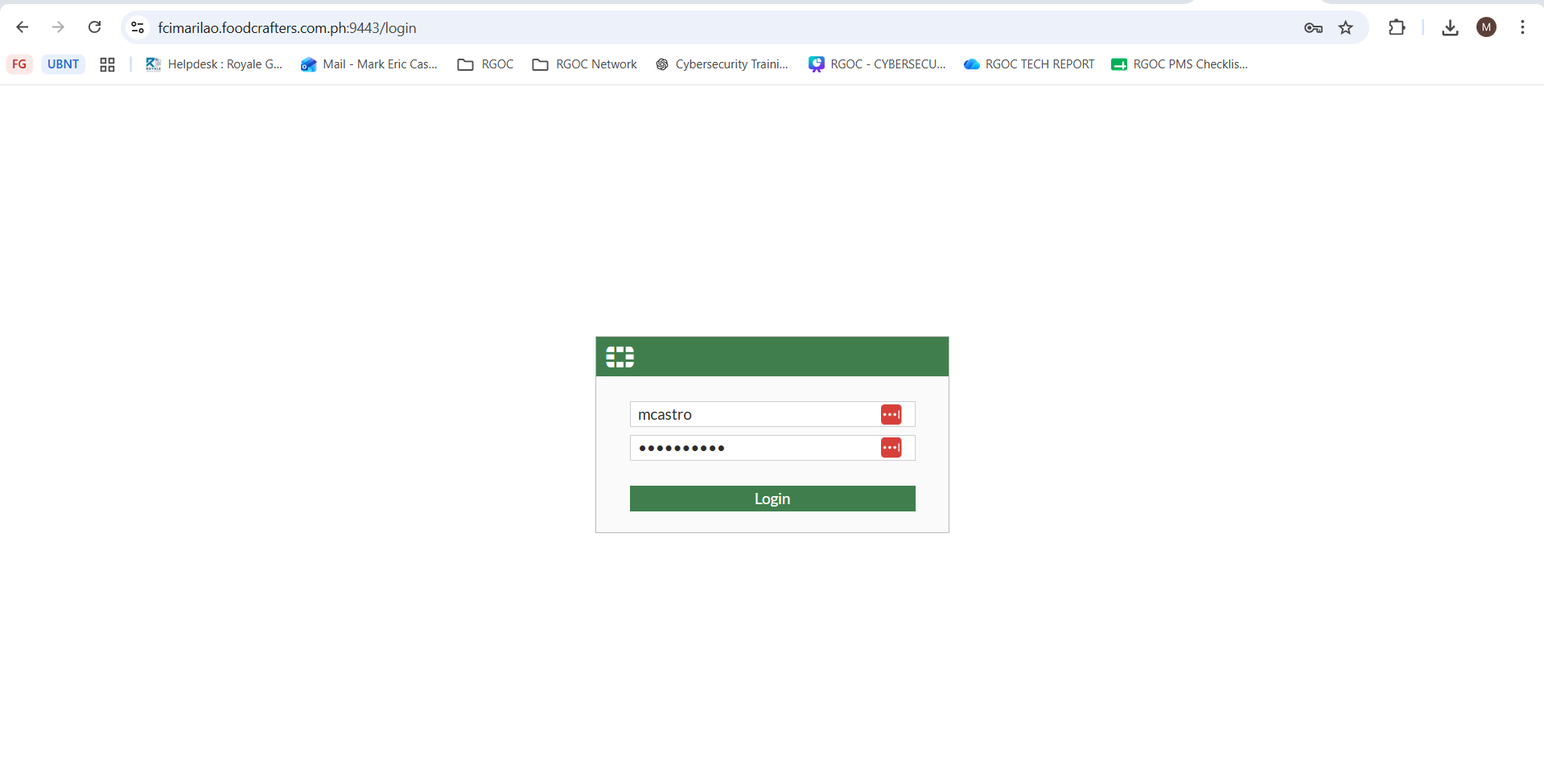
1. Login to Fortigate firewall web access
2. Go to"Settings", click "HTTPS server certificate"then click "Create"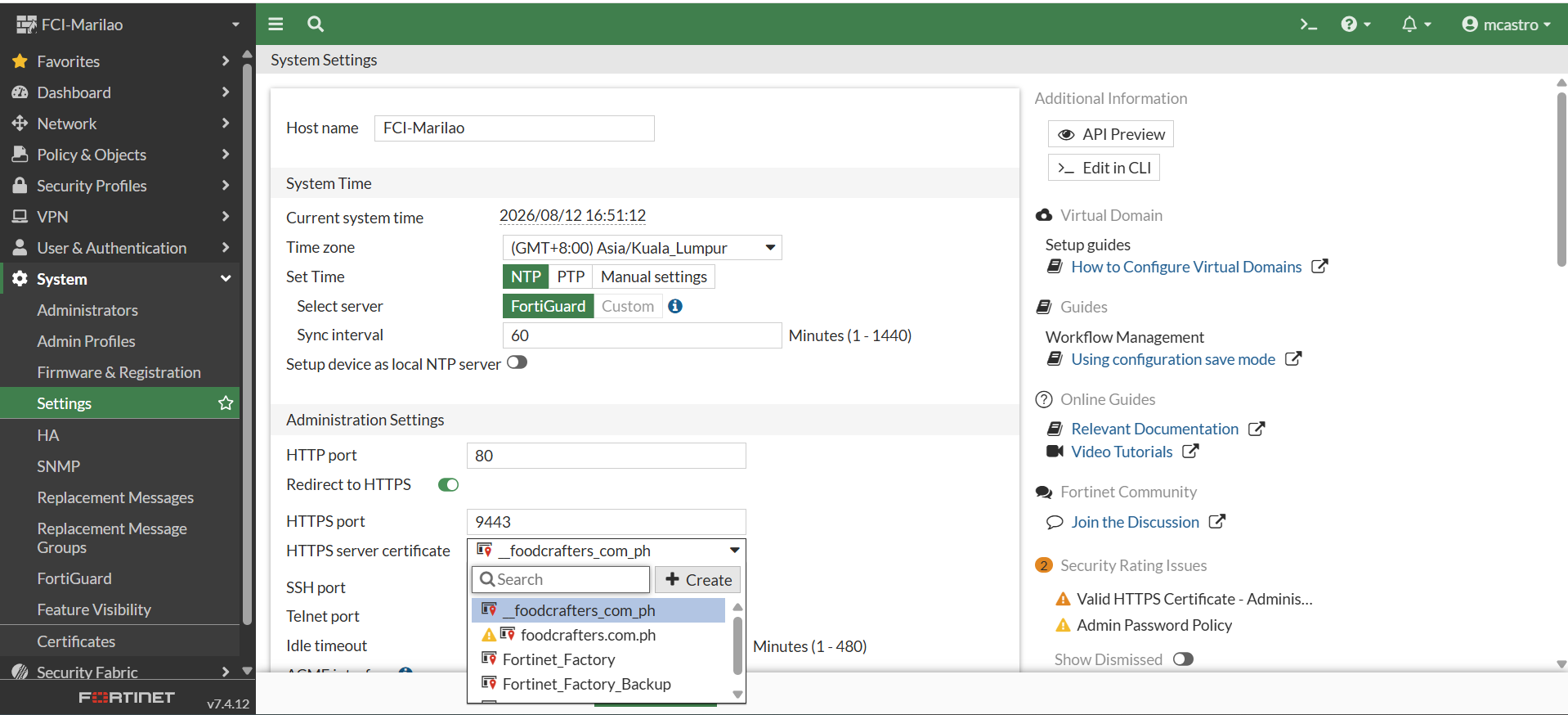
3. Click "Import Certificate"
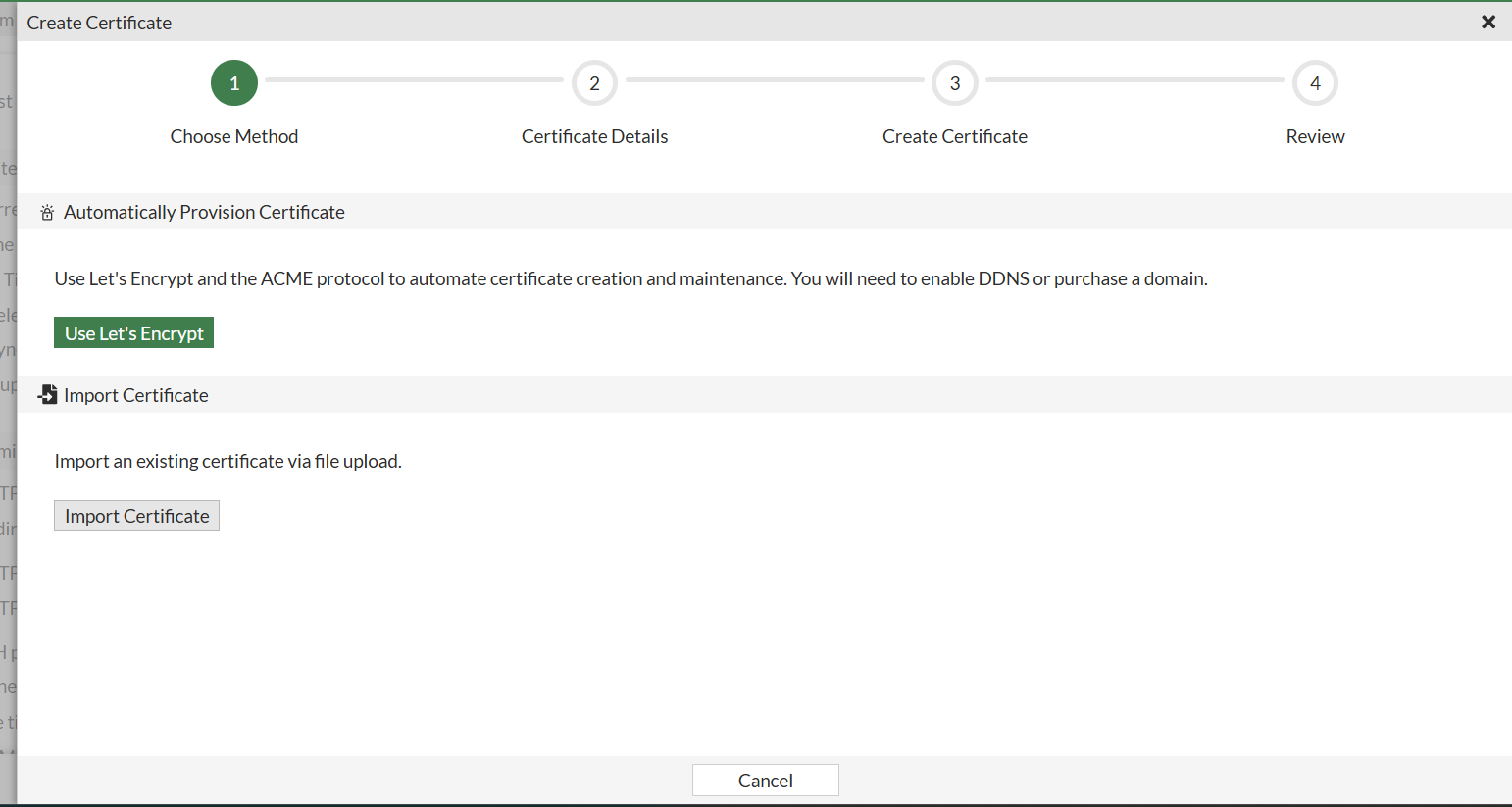
4. Go to "Certificate"
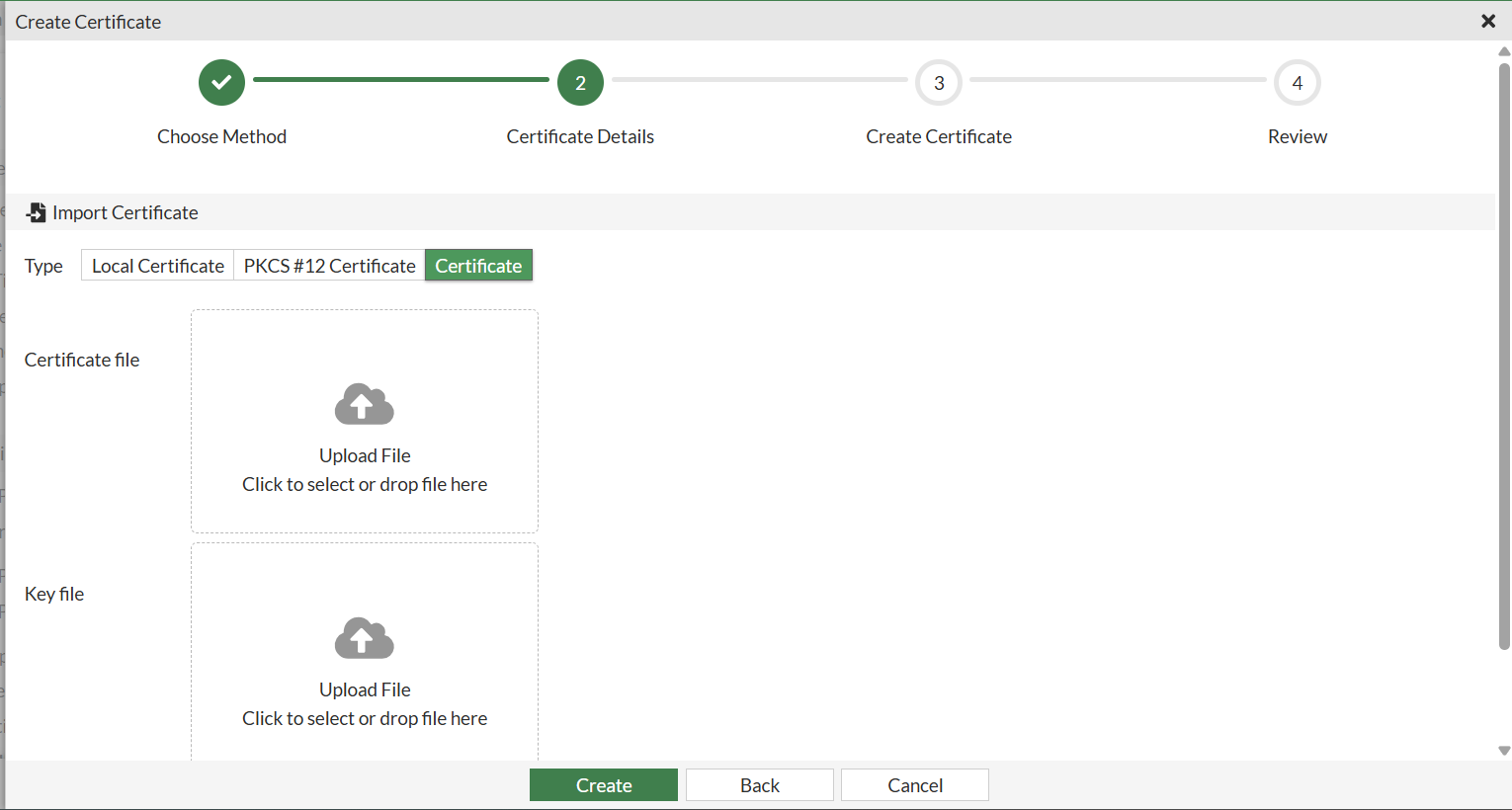
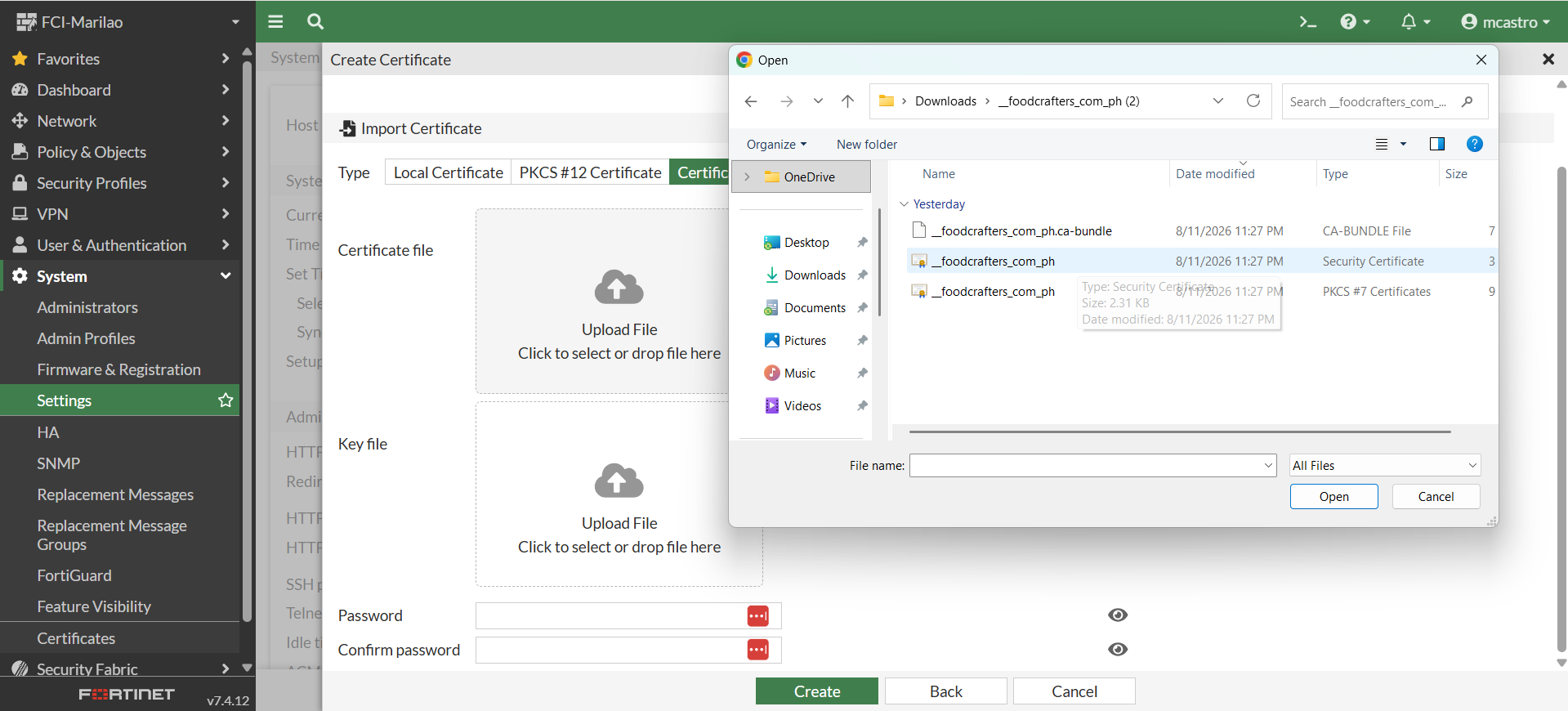
5. Import certificate file, browse for "Security Certificate" type file.
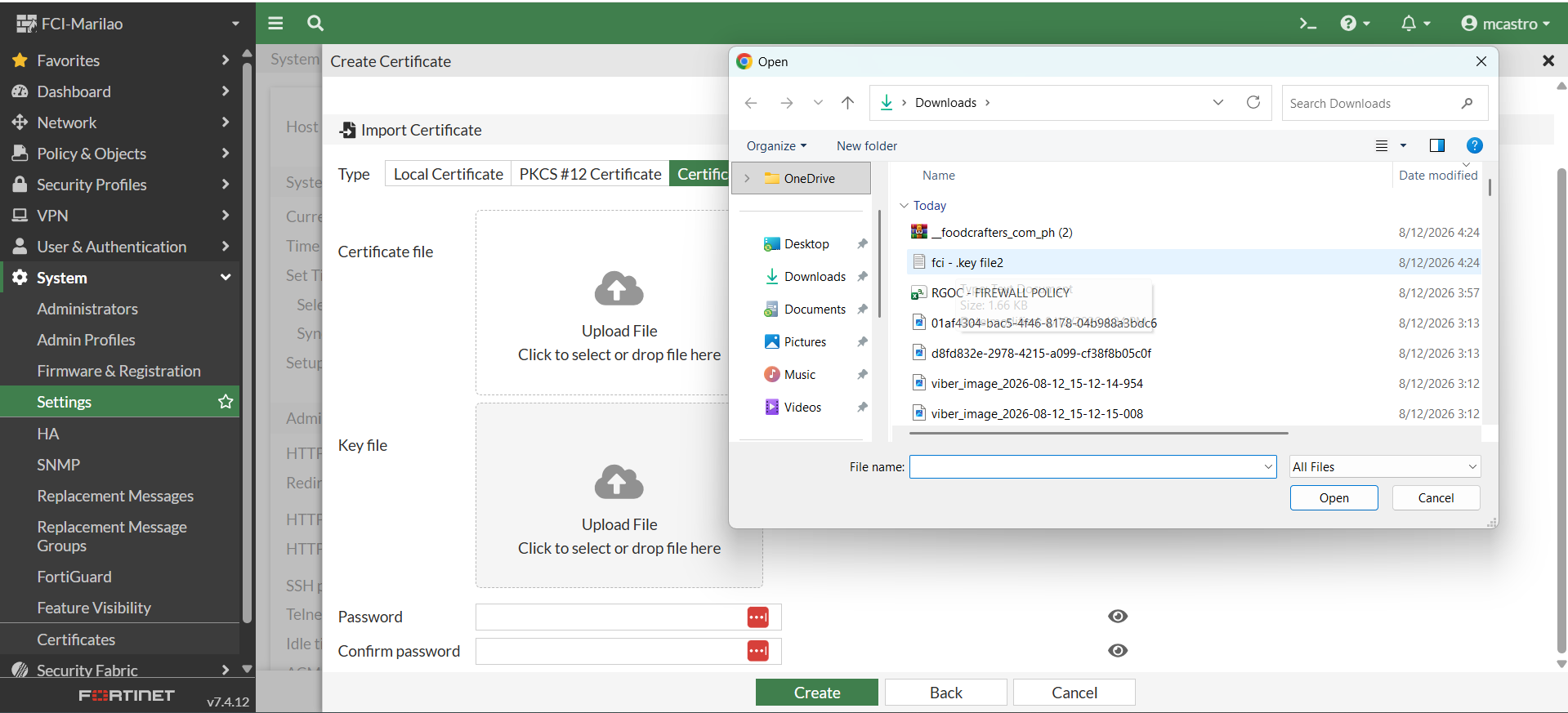
6. Import Key file, browse "Key" type
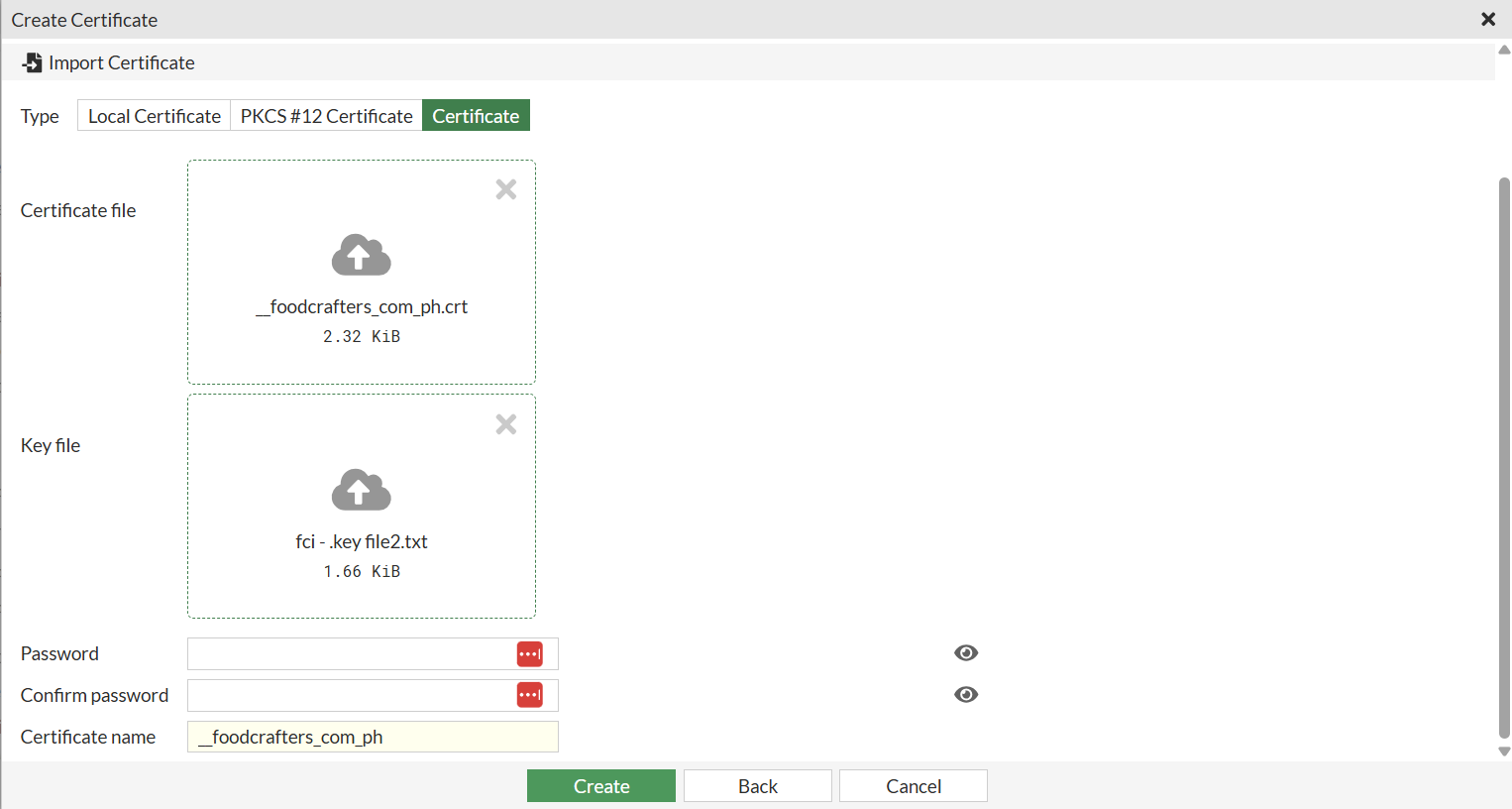
7. Click "Create"
Was this article helpful?
That’s Great!
Thank you for your feedback
Sorry! We couldn't be helpful
Thank you for your feedback
Feedback sent
We appreciate your effort and will try to fix the article