Fixes for Android
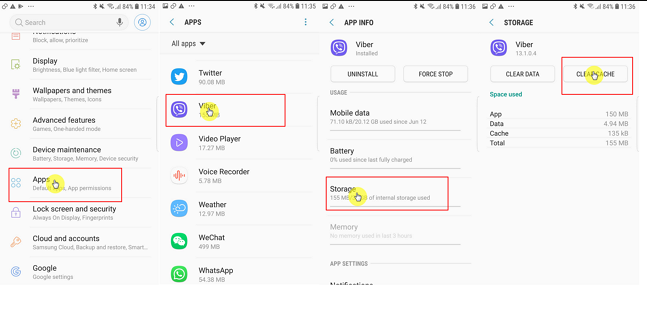
- Clear App Cache: Go to Settings > Apps > Viber > Storage. Tap Clear Cache.
- Force Stop: Go back to the main app screen and tap Force Stop.
- Update & Restart: Go to the Google Play Store to ensure your app is fully updated, then restart your phone.
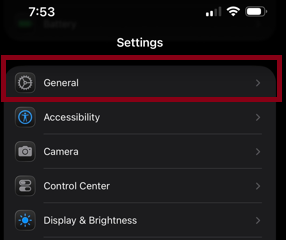
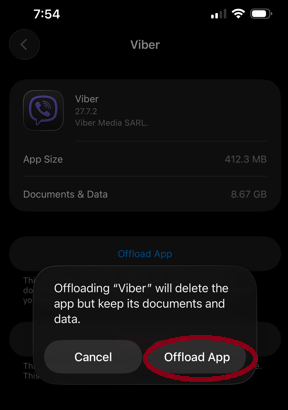
Fixes for iOS (iPhone/iPad)- Offload the App: Go to Settings > General > iPhone Storage > Viber. Tap Offload App (this keeps your documents and data).
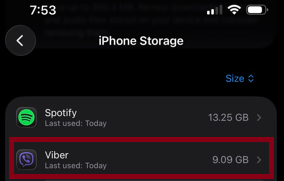
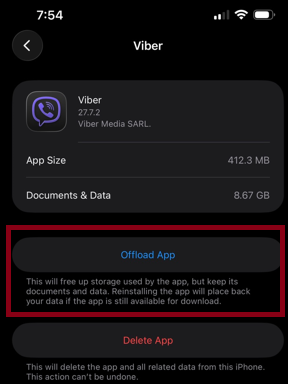
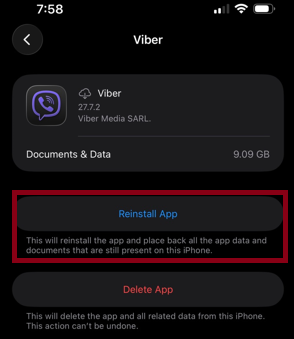
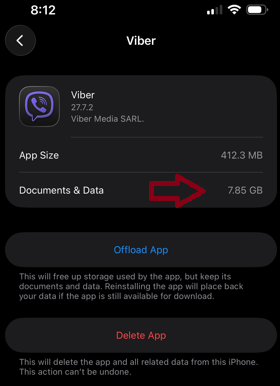
- Tap Reinstall: Wait Viber Installing, After Installed Viber Application Restart Your Phone & Re Open Viber Application (from 9.09GB to 7.85GB ).
- Offload the App: Go to Settings > General > iPhone Storage > Viber. Tap Offload App (this keeps your documents and data).
Was this article helpful?
That’s Great!
Thank you for your feedback
Sorry! We couldn't be helpful
Thank you for your feedback
Feedback sent
We appreciate your effort and will try to fix the article