Go to Outlook Account find Microsoft Invitations on Behalf of JFC Group & Guest user Access Teams.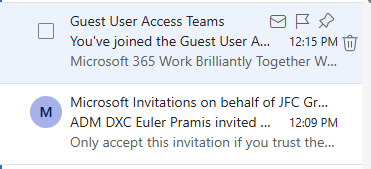
Click the Go to SharePoint on Guest User Access Teams Group and Click the Accept Invitation on Microsoft Invitation on behalf of JFC Group for Accessing MS Team using royalecoldstorage.com.ph.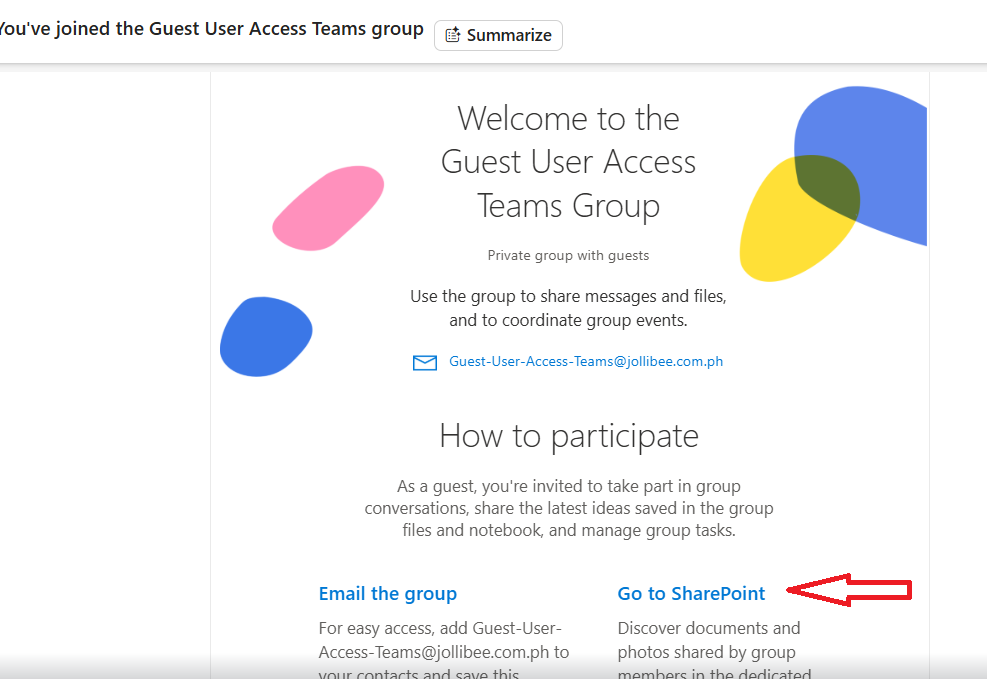
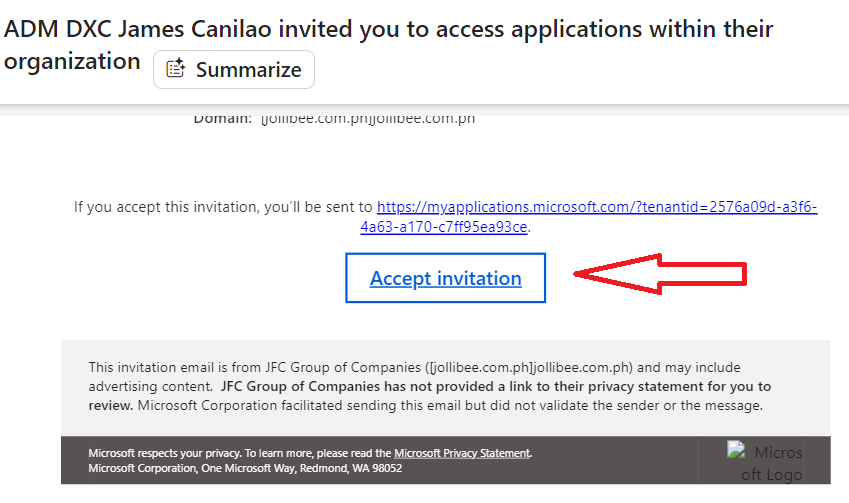
On your MS Teams account using your Email Account royalecolstorage.com.ph you will have access on MS Teams but no Group. To joining a JWSL Group you will be invited by JWSL Personnel.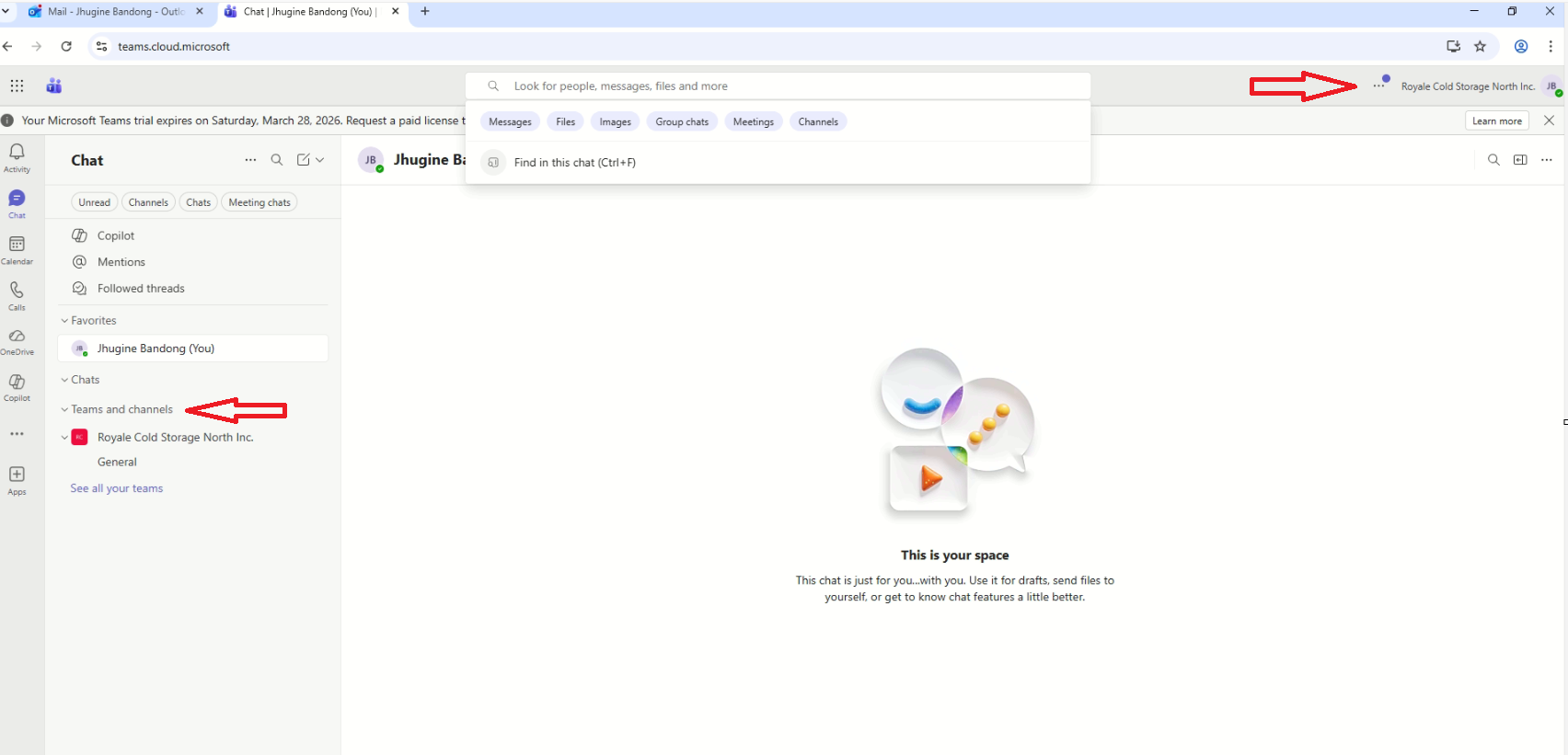
Was this article helpful?
That’s Great!
Thank you for your feedback
Sorry! We couldn't be helpful
Thank you for your feedback
Feedback sent
We appreciate your effort and will try to fix the article