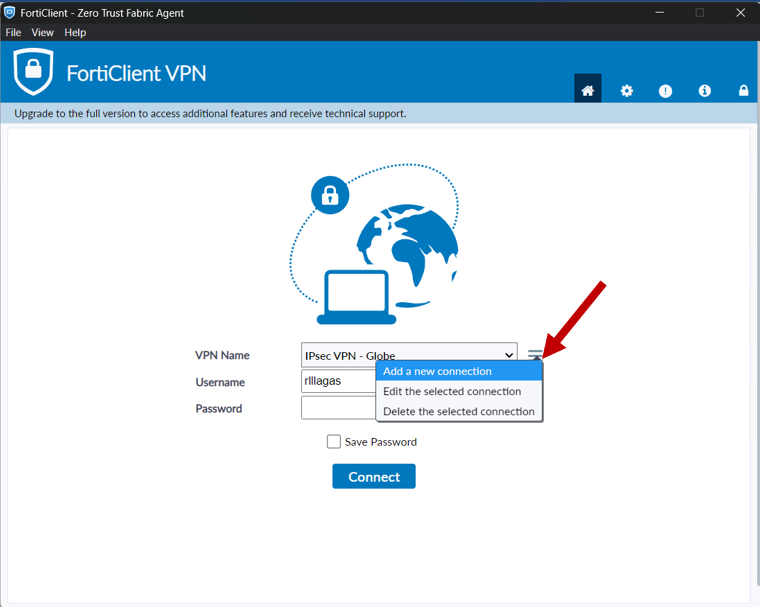
Open "FortiClient 7.4.3 version" and select “Add a new connection"
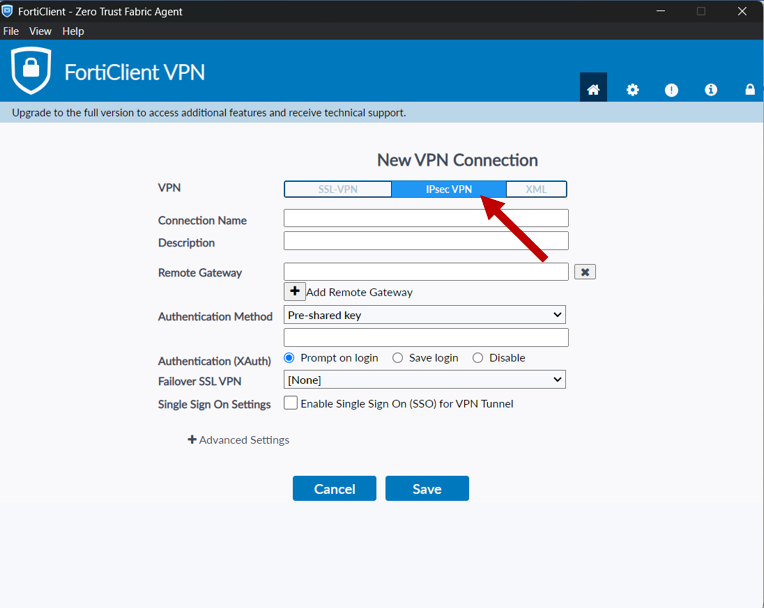
Select “IPsec VPN”
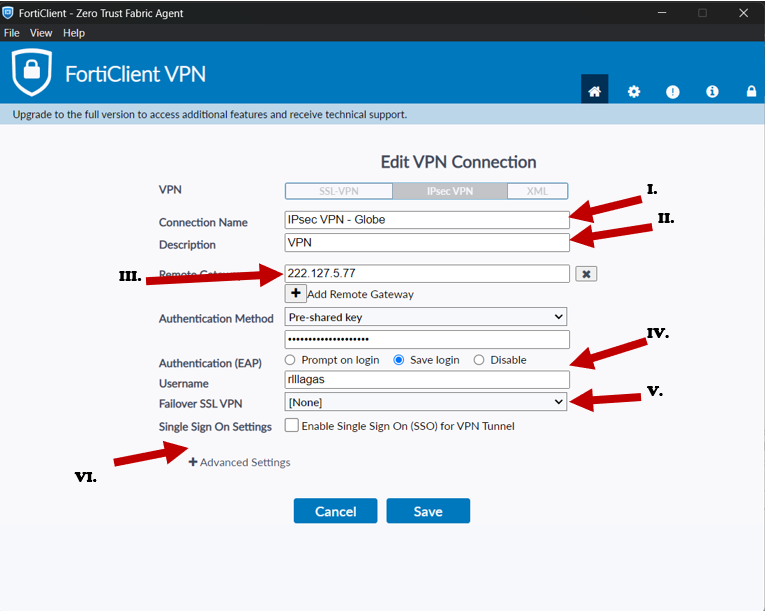
I. “RCS IPsec VPN - Globe”
II. “VPN Connection”
III. “222.127.5.76”
IV. “Castrol12!”
V. Use the existing VPN Account of the user
VI. Select “+” in “Advance Setting”
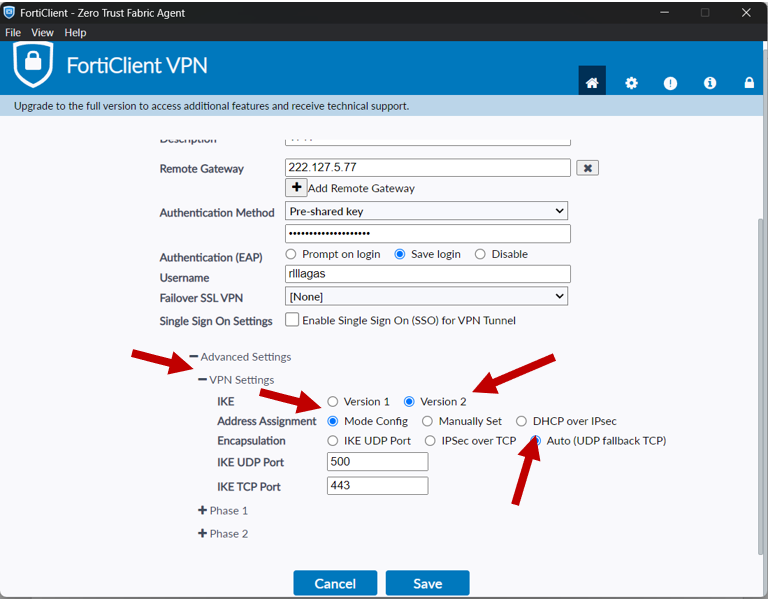
After selecting Advance Settings, select “VPN Settings”
In IKE tab, select “Version 2”
In Address Assignment tab, select “Mode Config”
In Encapsulation tab, select “Auto (UDP fallback TCP)”
I. “RCS IPsec VPN - Radius”
II. “VPN Connection”
III. “146.88.71.227”
IV. “Castrol12!”
V. Use the existing VPN Account of the user
VI. Select “+” in “Advance Setting”
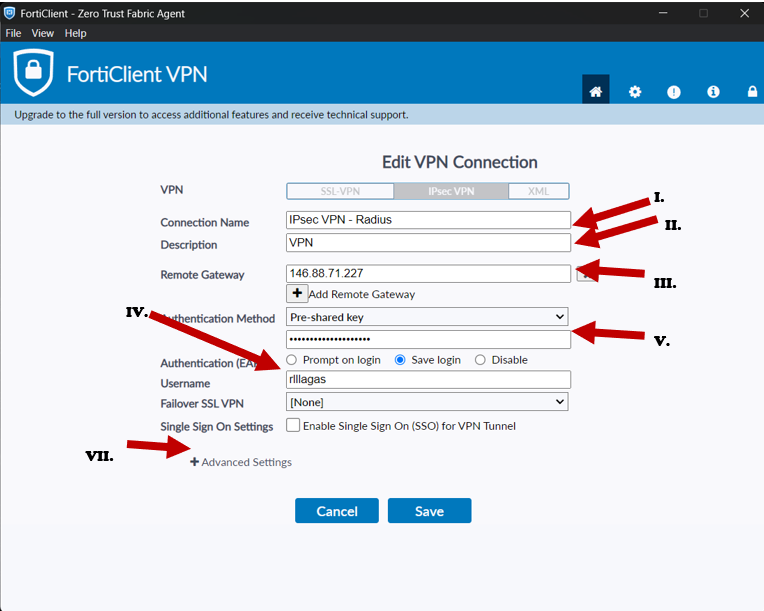
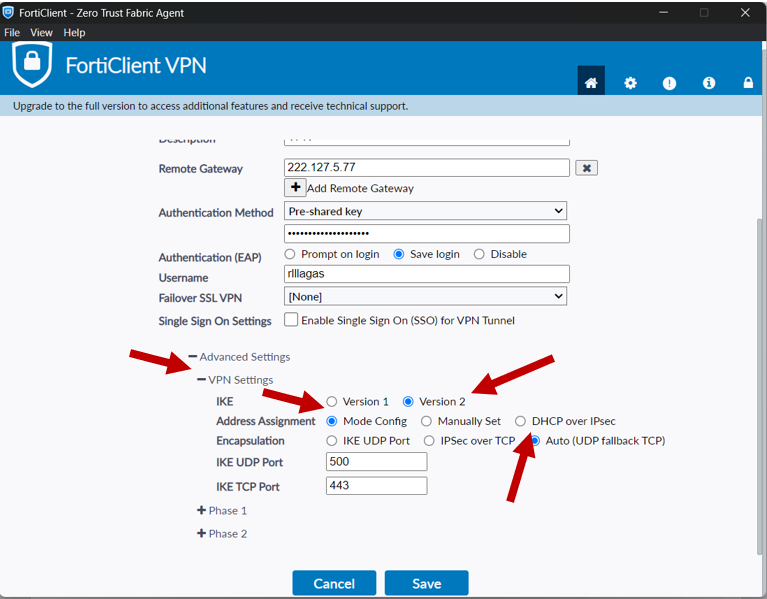
After selecting Advance Settings, select “VPN Settings”
In IKE tab, select “Version 2”
In Address Assignment tab, select “Mode Config”
In Encapsulation tab, select “Auto (UDP fallback TCP)”
Was this article helpful?
That’s Great!
Thank you for your feedback
Sorry! We couldn't be helpful
Thank you for your feedback
Feedback sent
We appreciate your effort and will try to fix the article