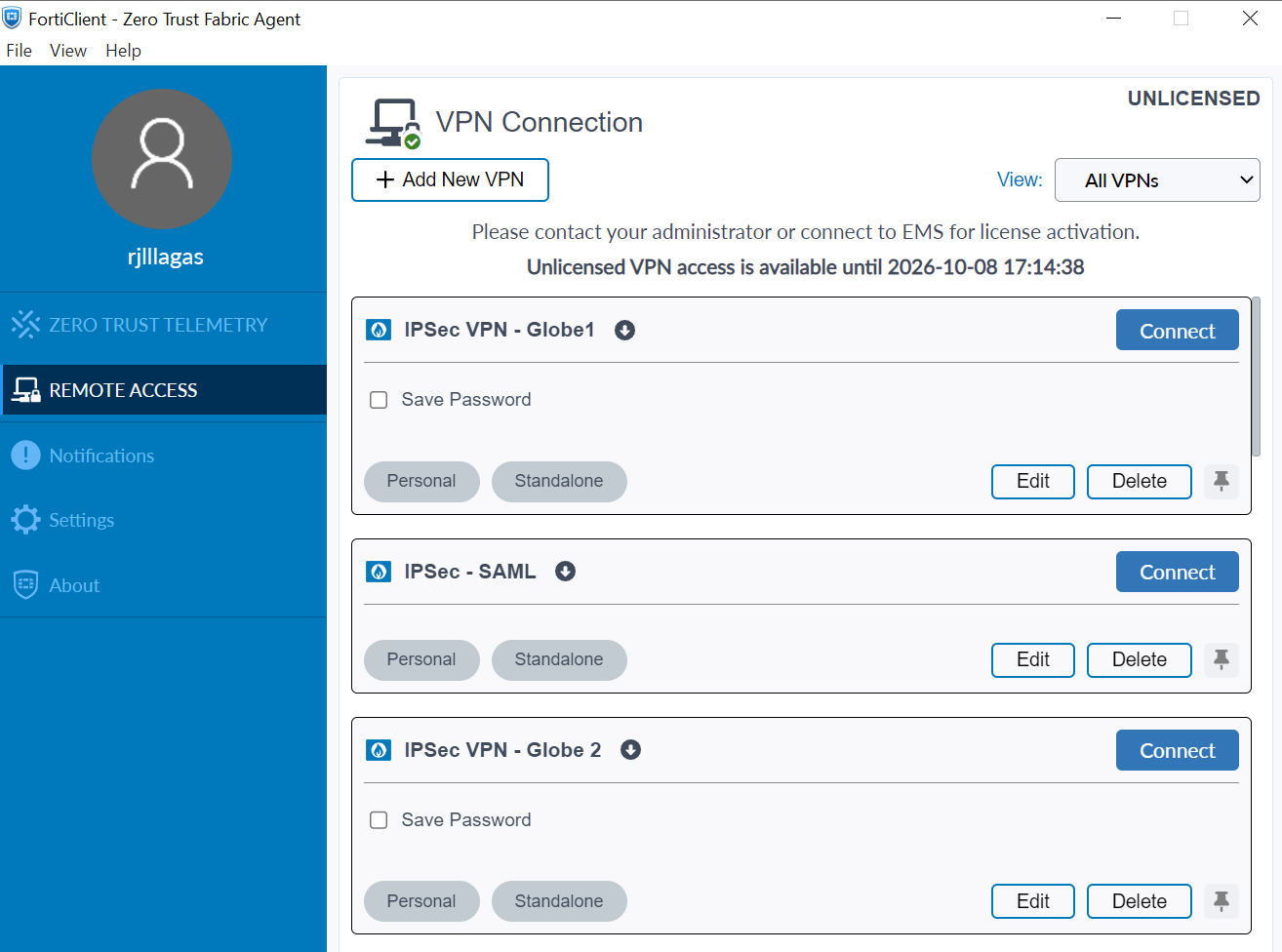
Open FortiClient 7.4.8 version and select “Add New VPN”
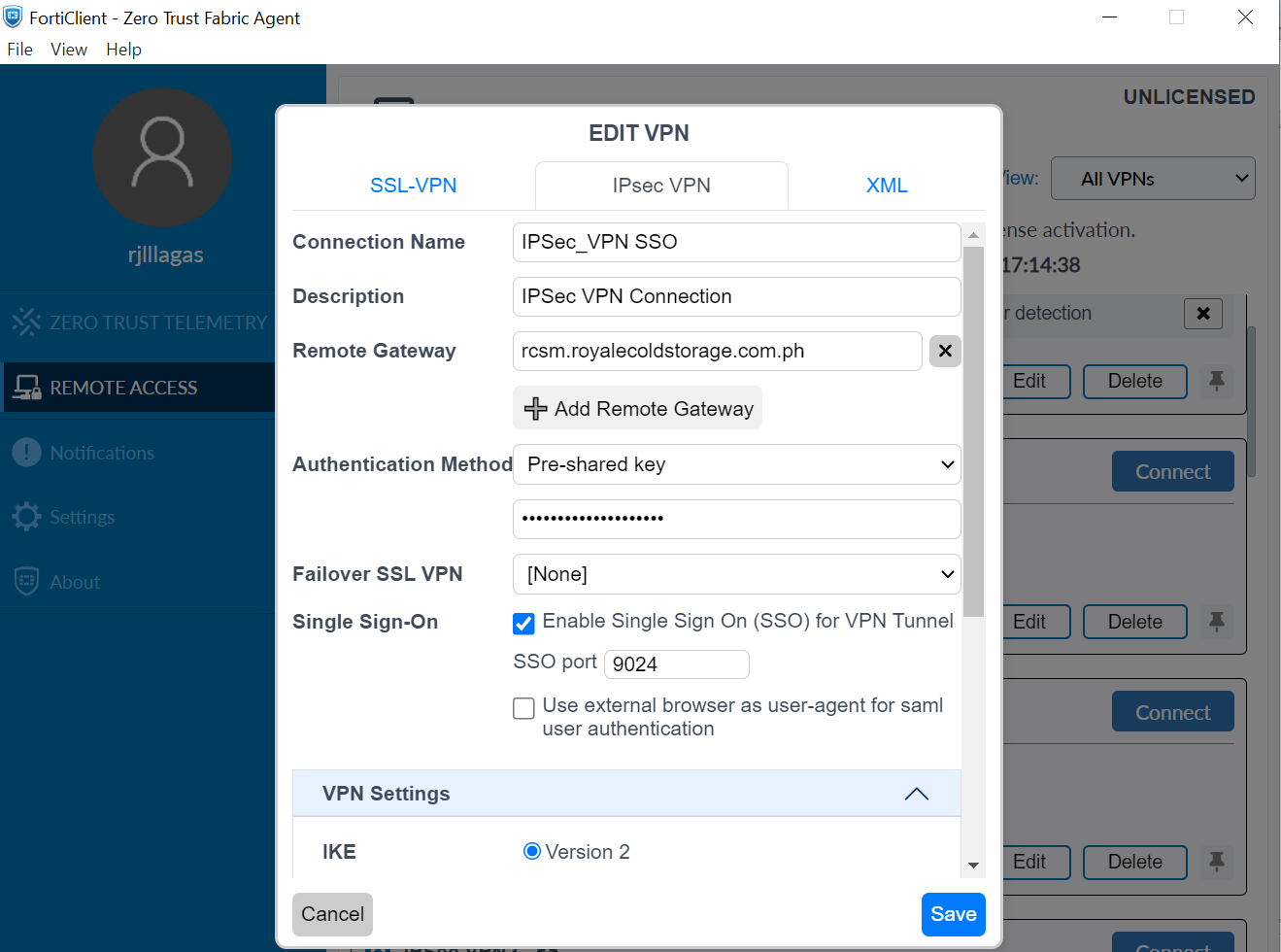
- Select “IPsec VPN”
- Connection Name: IPSec_VPN SSO
- Description: IPSec VPN Connection
- Remote Gateway: rcsm.royalecoldstorage.com.ph
- Authentication Method: Pre-shared key , Castrol12!
- Failover SSL VPN: None
- Single Sign-On: Enabled, enter port number: 9024
VPN Settings:
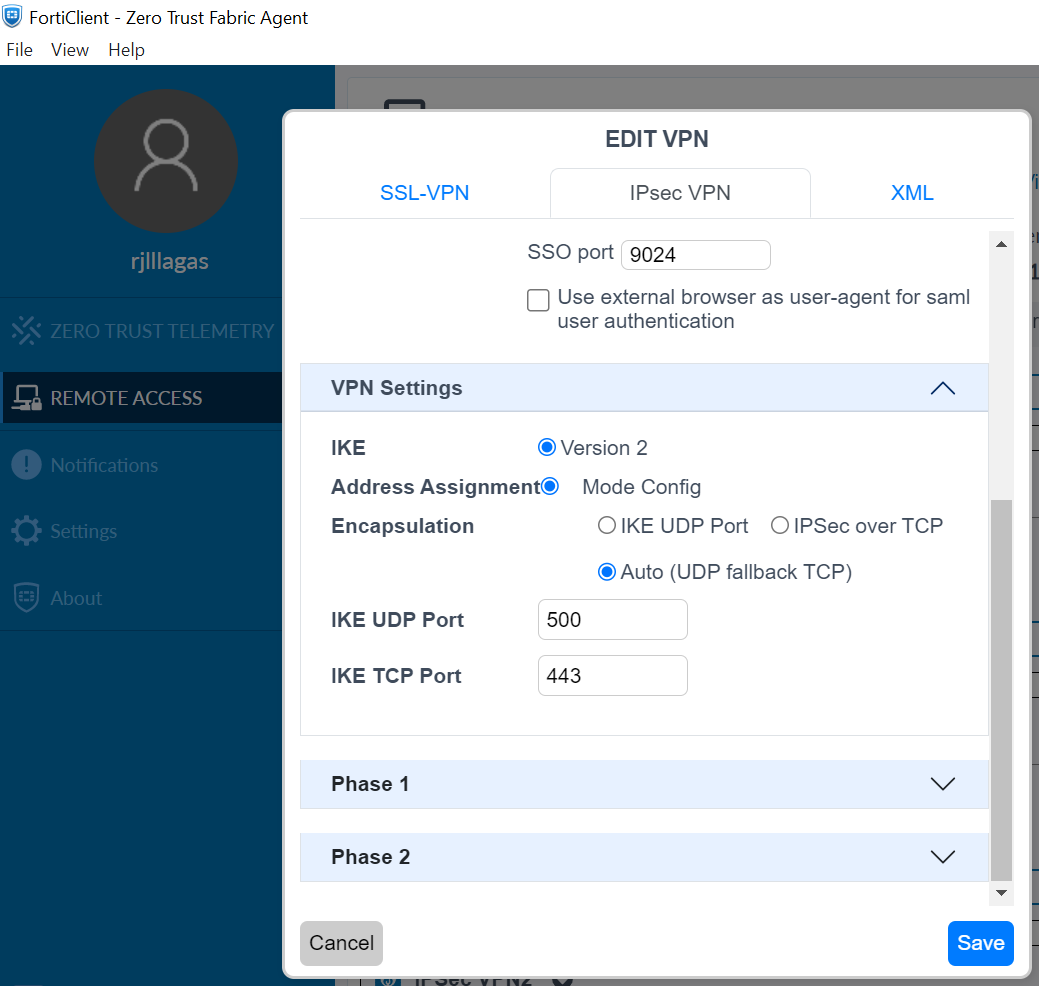
- IKE: Version 2
- Address Assignment: Mode Config
- Encapsulation: Auto (UDP fallback TCP)
- IKE UDP Port: 500
- IKE TCP Port: 443
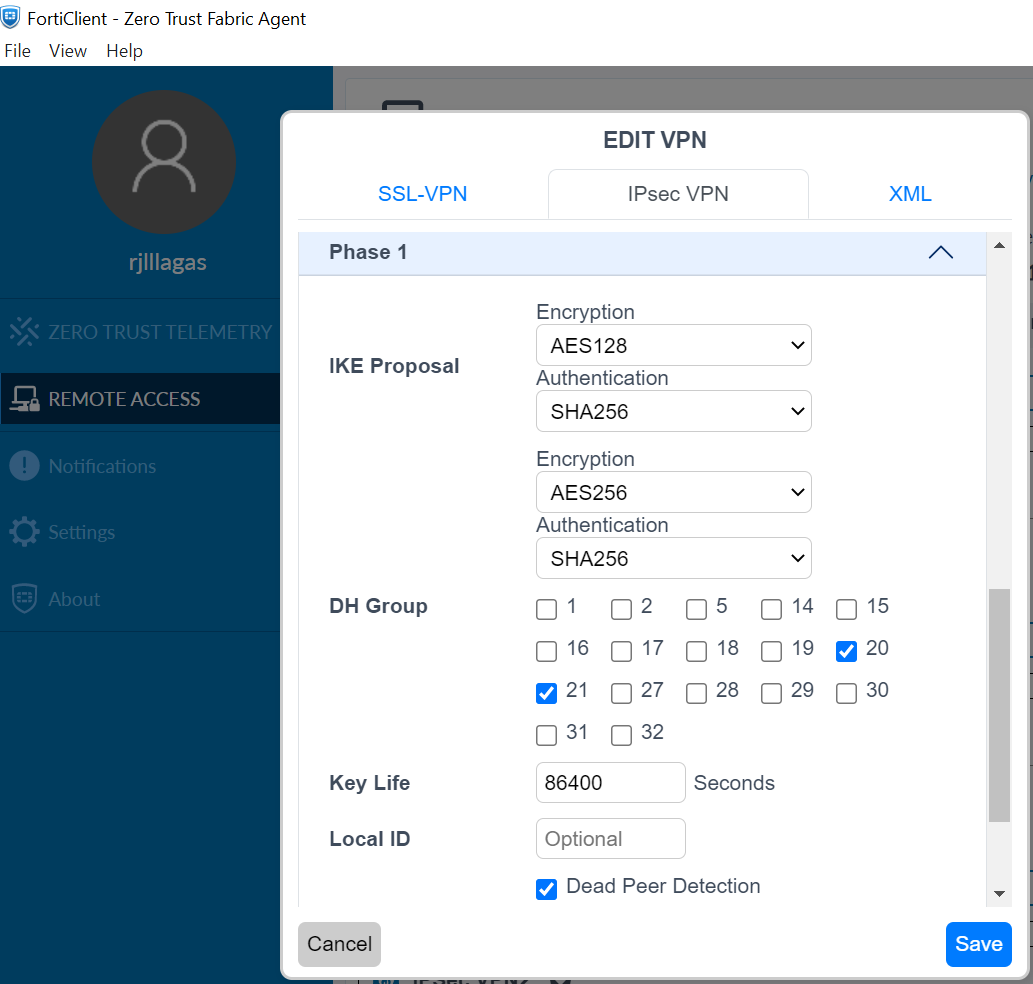
Phase1 Settings:
IKE Proposal
Encryption: AES128
Authentication: SHA256
Encryption: AES256
Authentication: SHA256
DH Group
Check: 20 and 21
Key Life: 86400 seconds
Local ID: Black only
Check: Dead Peer Detection
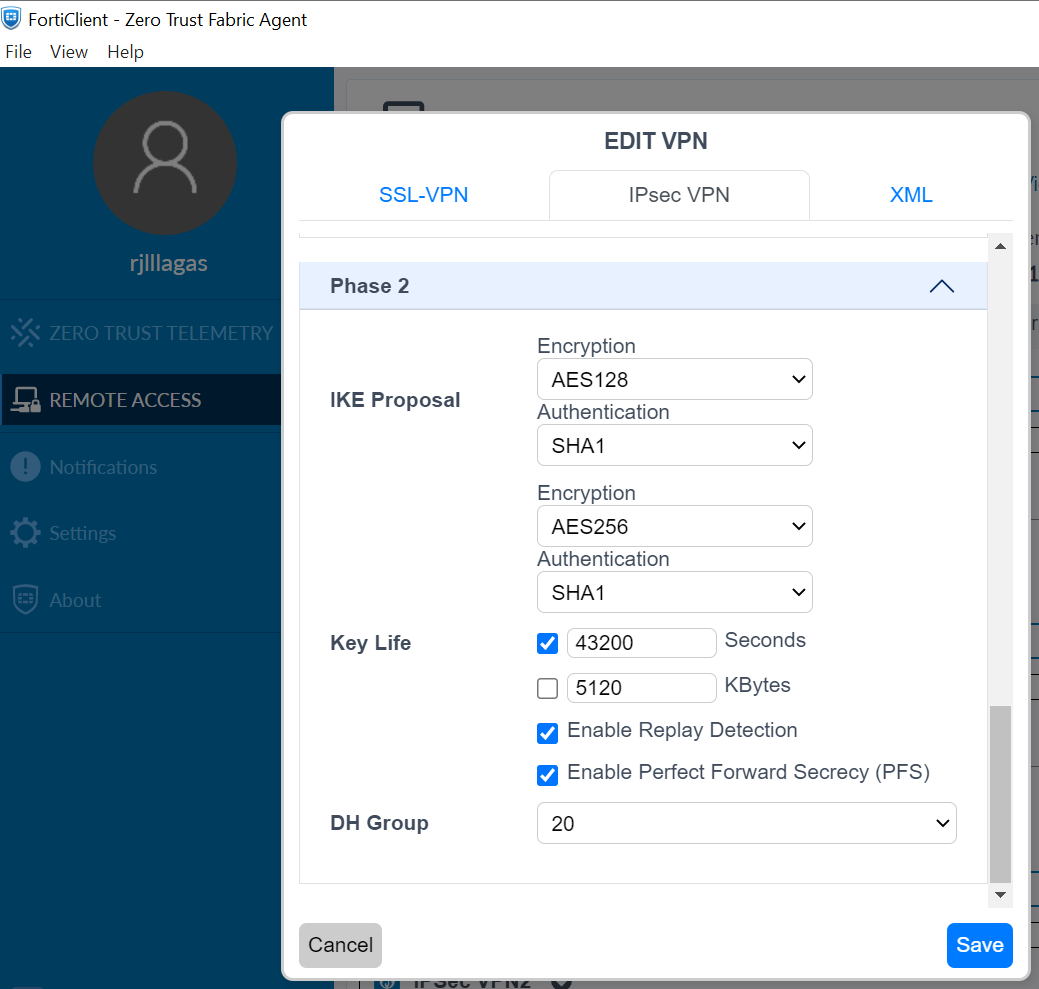
Phase2 Settings:
IKE Proposal
Encryption: AES128
Authentication: SHA1
Encryption: AES256
Authentication: SHA1
Key Life: 43200 seconds
Check: Enable Replay Detection
Check: Enable Perfect Forward Secrecy (PFS)
DH Group: 20
Click: SAVE
HOW TO CONNECT:
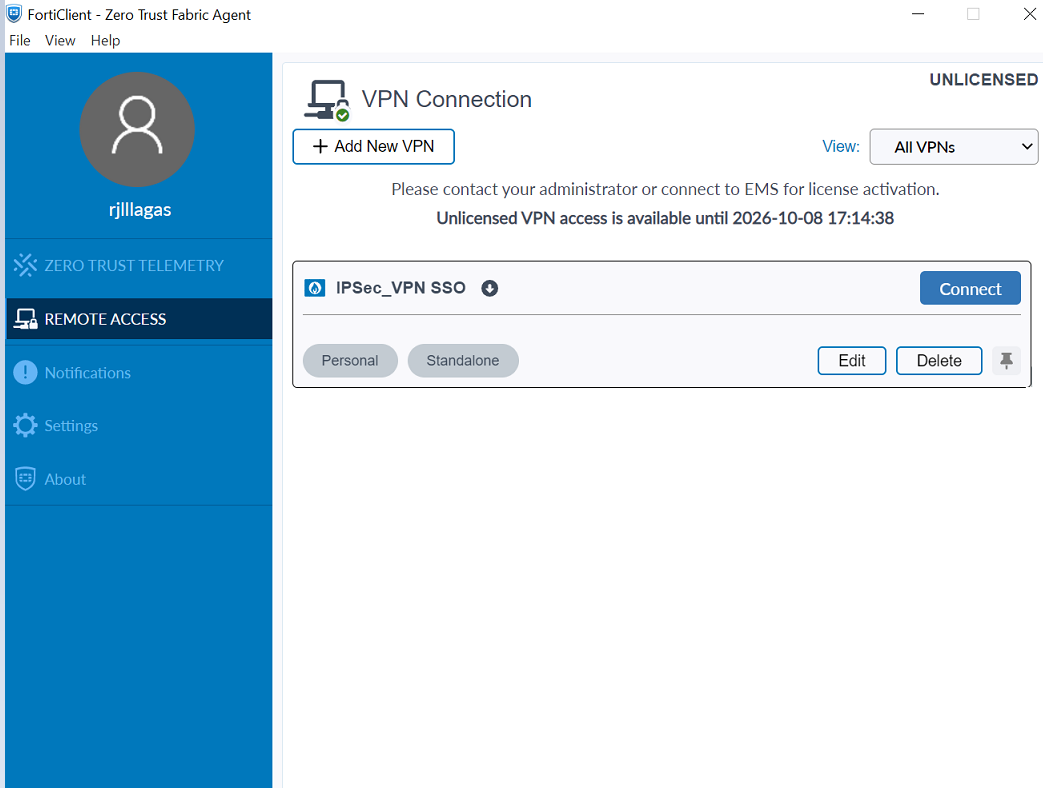
Click: Connect
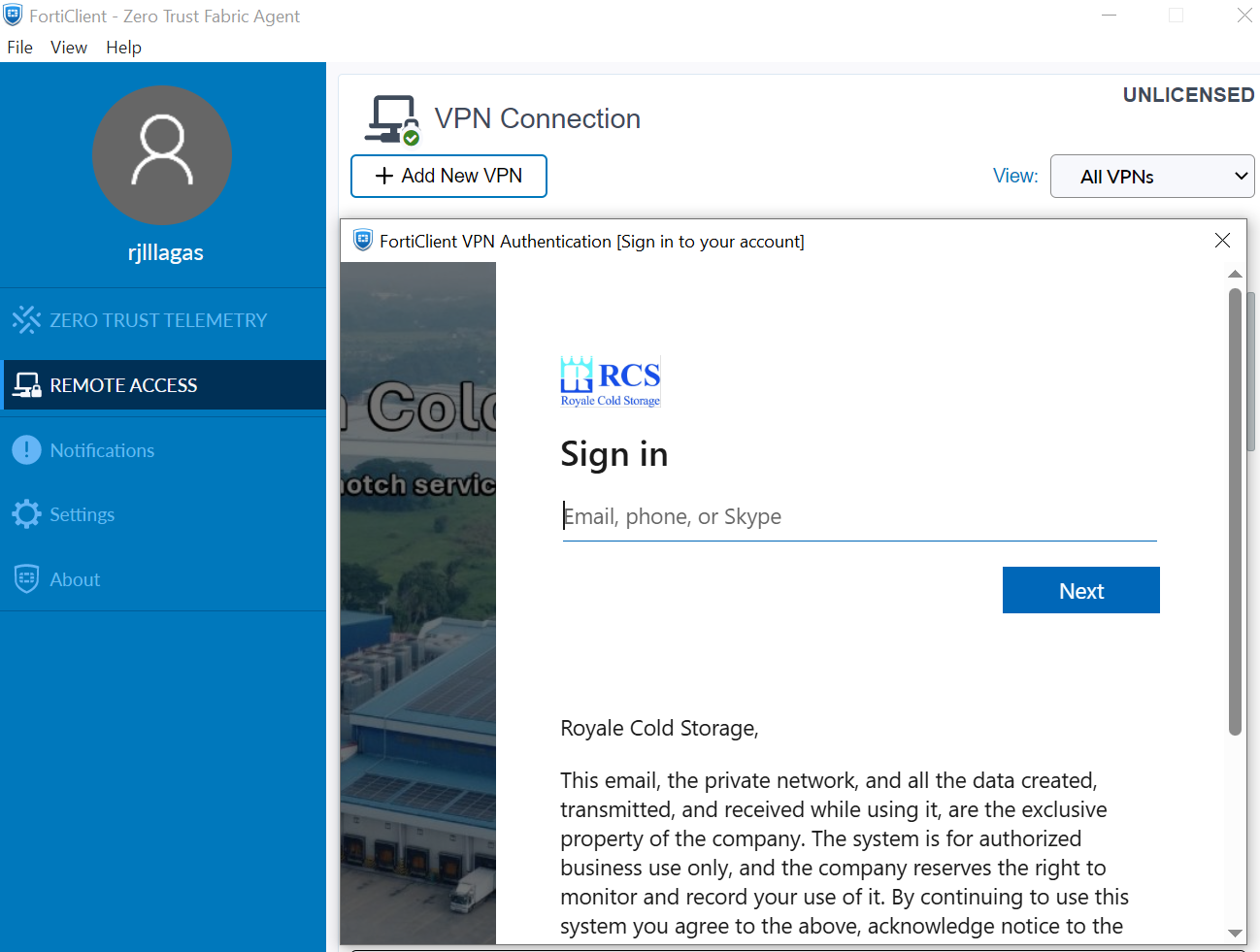
- Enter your company email address: name@royalecoldstorage.com.ph (example)
- Click: Next
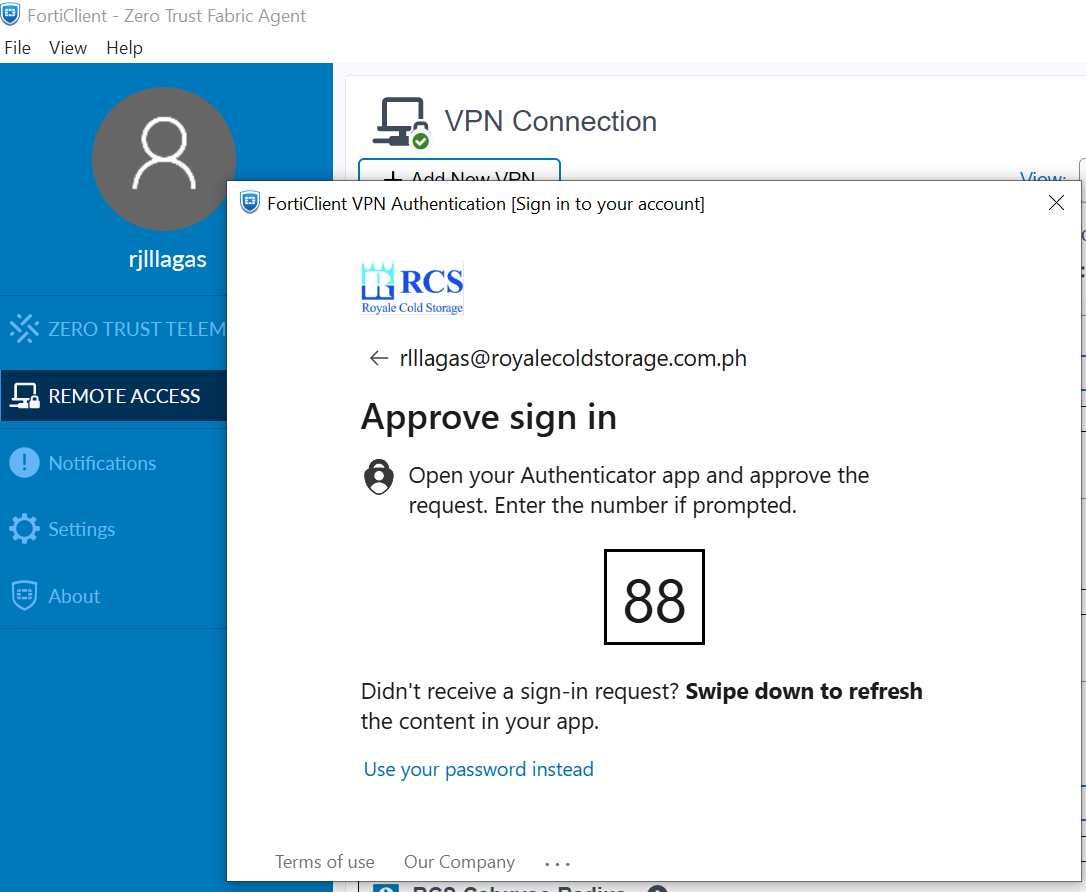
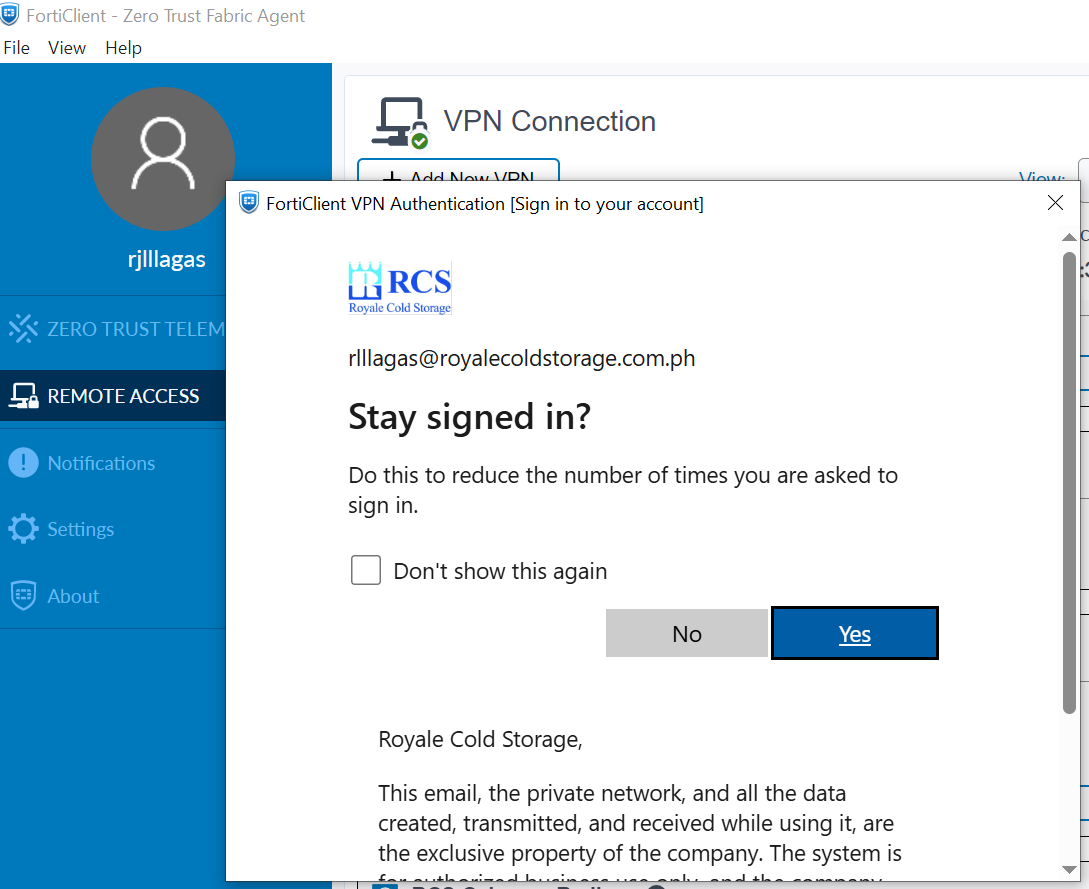
Open your Authenticator app and Enter the number prompted then click OK
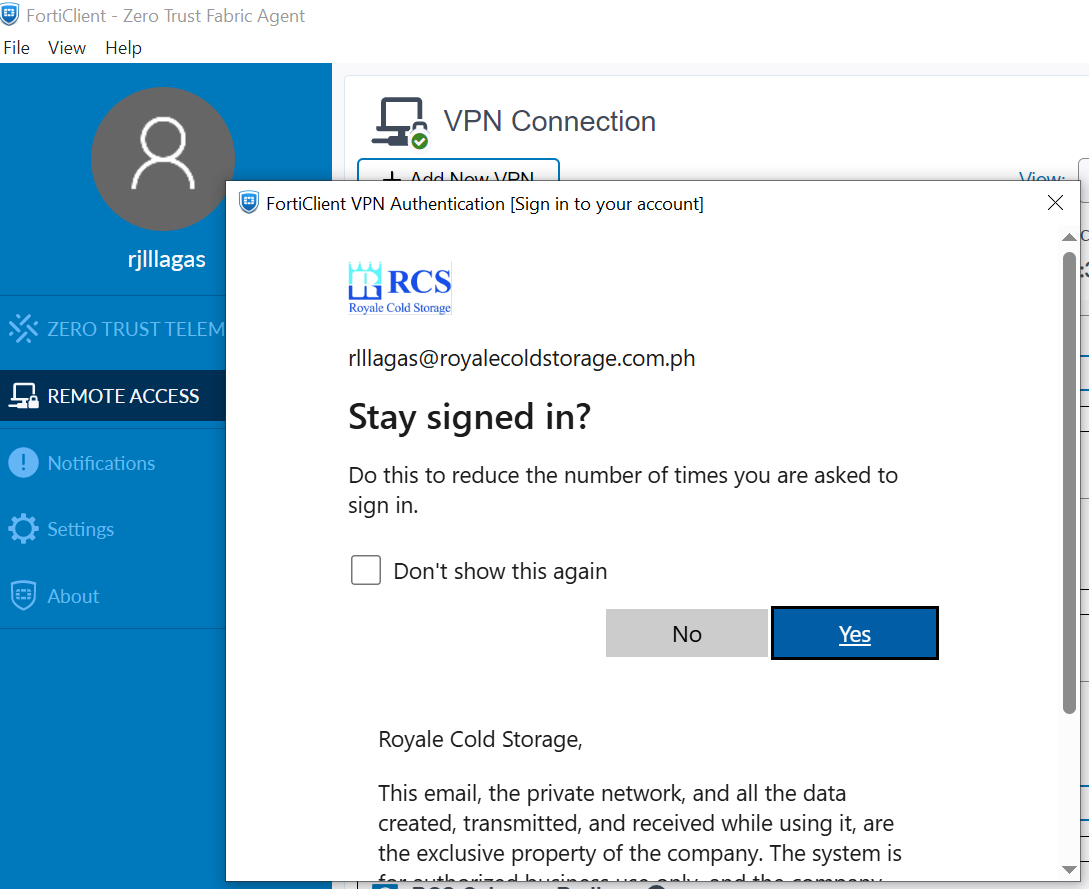
Click: Yes
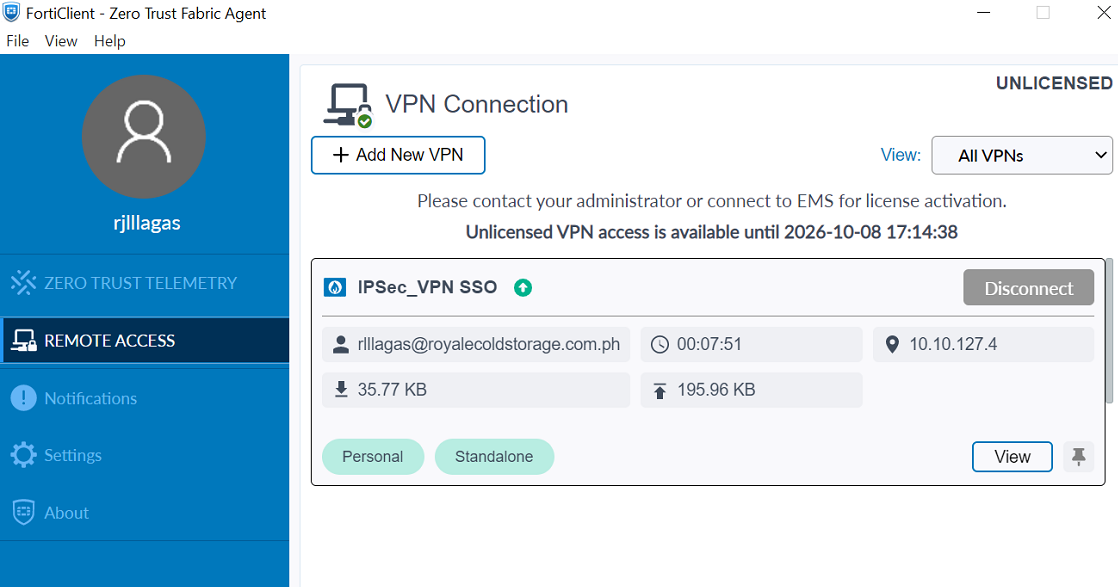
You are now connected to VPN.
Was this article helpful?
That’s Great!
Thank you for your feedback
Sorry! We couldn't be helpful
Thank you for your feedback
Feedback sent
We appreciate your effort and will try to fix the article