INSTRUCTIONS TO CONNECT TO VPN
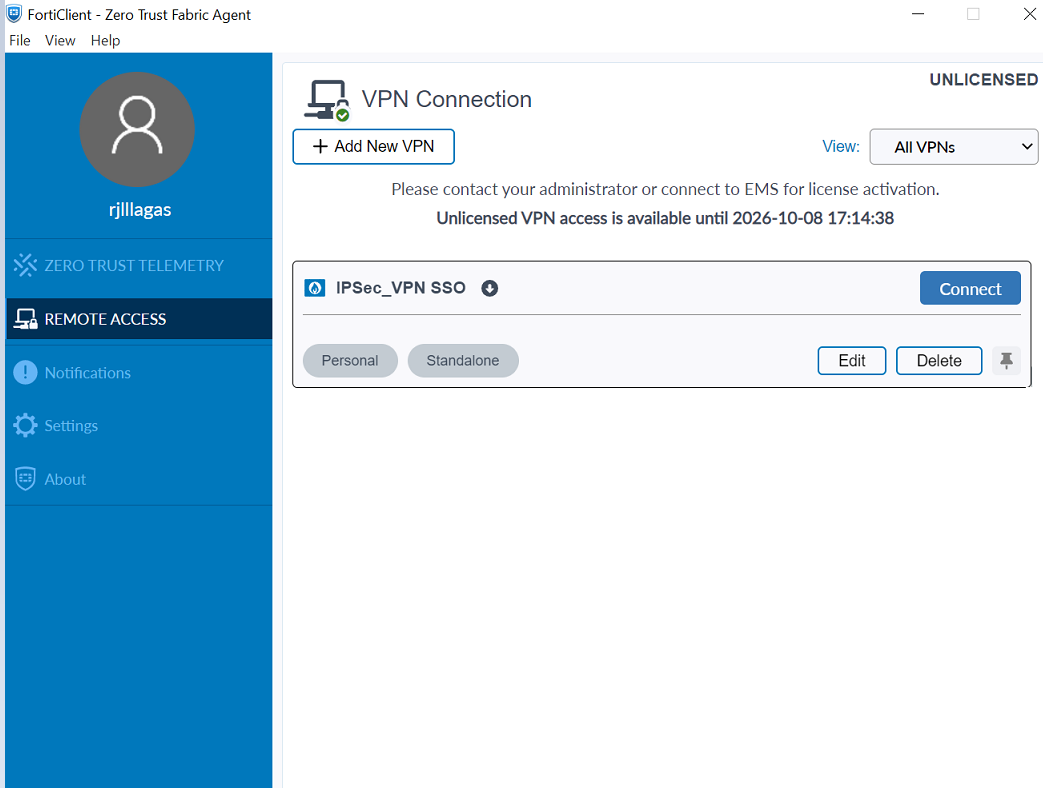
Click: Connect
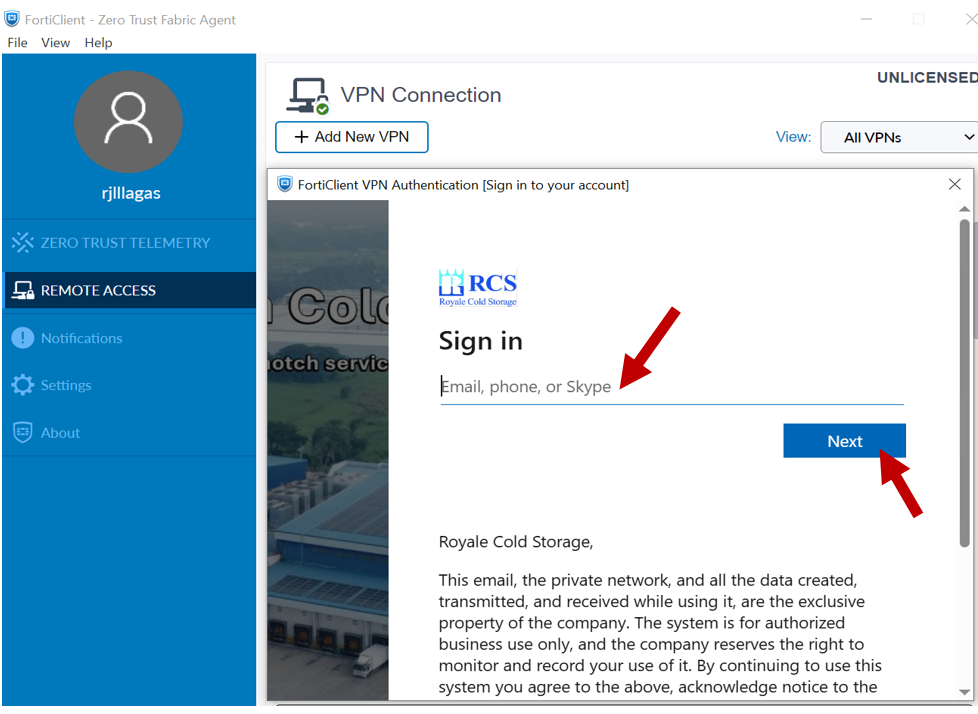
- Enter your company email address: name@royalecoldstorage.com.ph (example)
- Click: Next
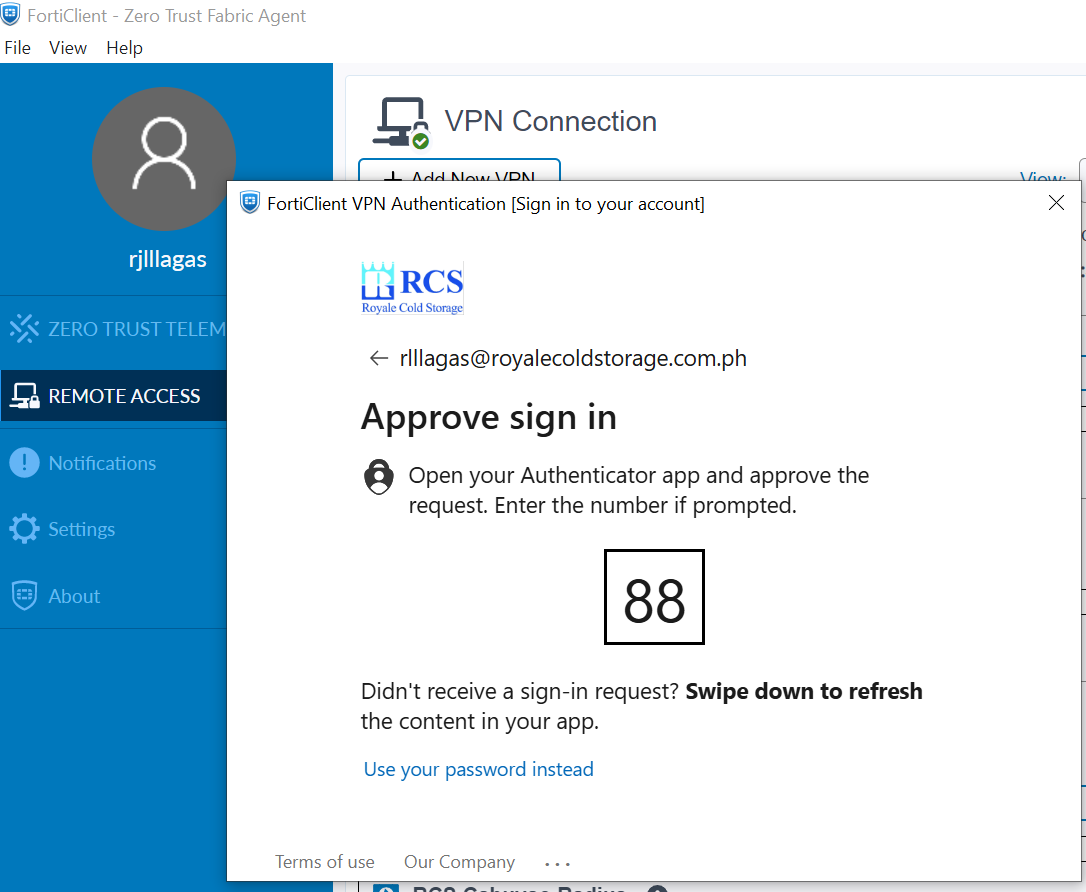
Open your Authenticator app and Enter the number prompted then click OK
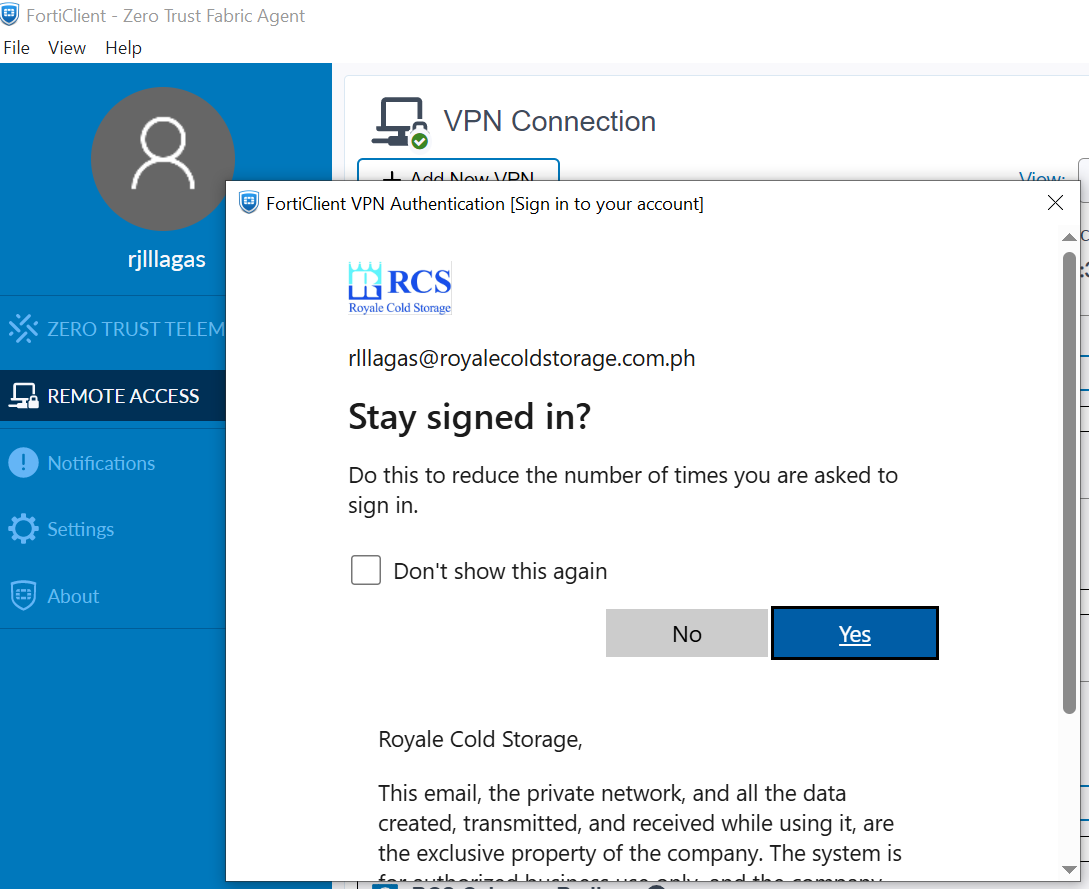
Click: Yes
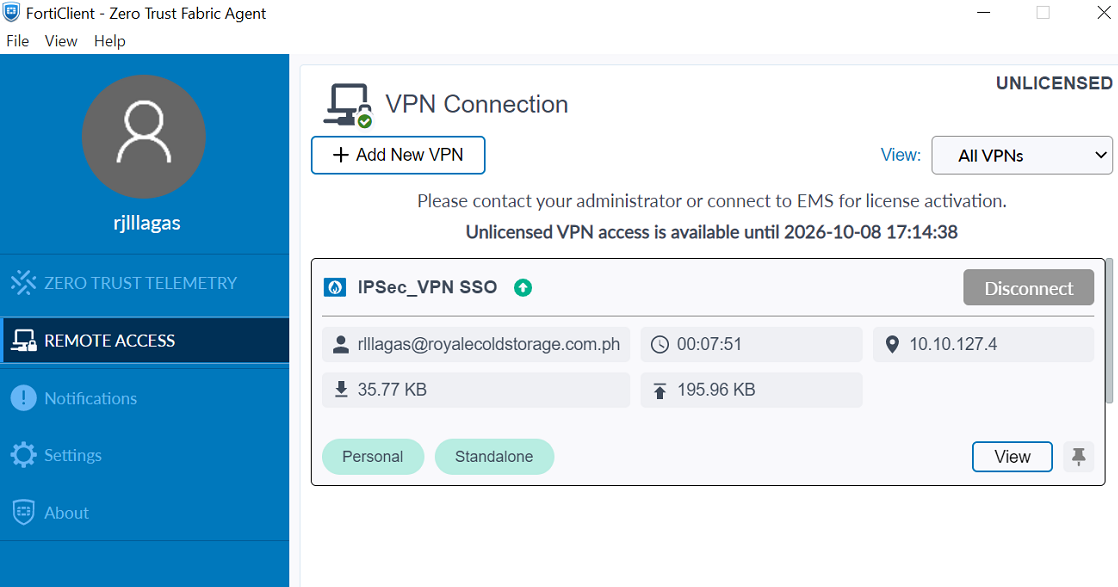
You are now connected to VPN. Thank you !
Was this article helpful?
That’s Great!
Thank you for your feedback
Sorry! We couldn't be helpful
Thank you for your feedback
Feedback sent
We appreciate your effort and will try to fix the article