Battery Report Lifespan
Step 1 Go to CMD ( Command Prompt ) powercfg/batteryreport then Enter
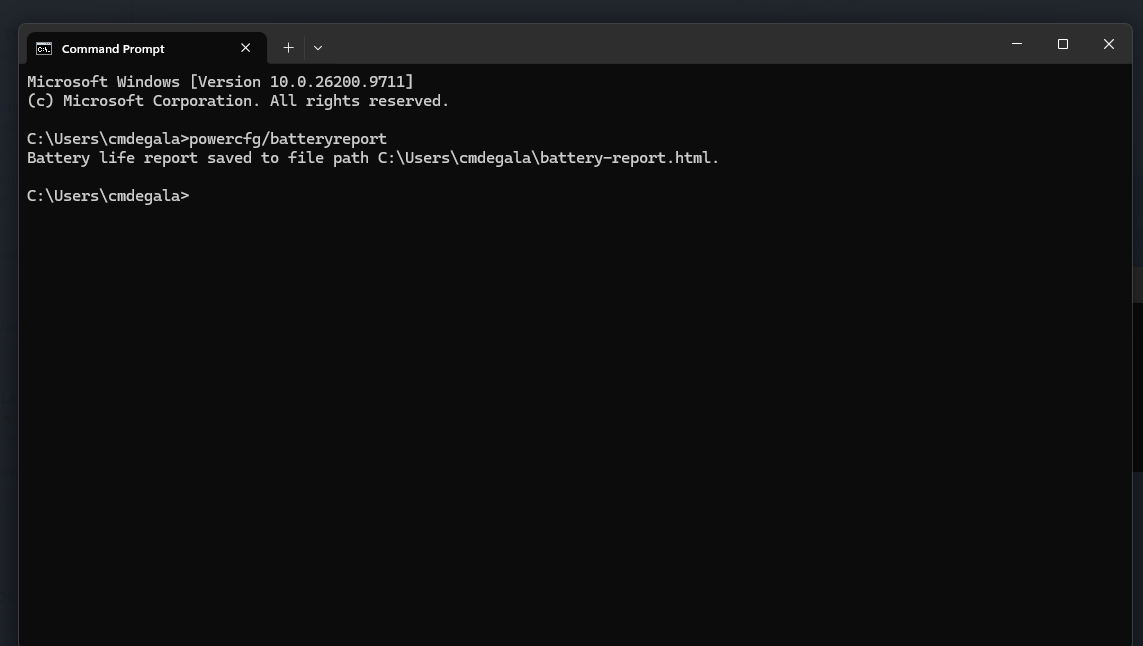
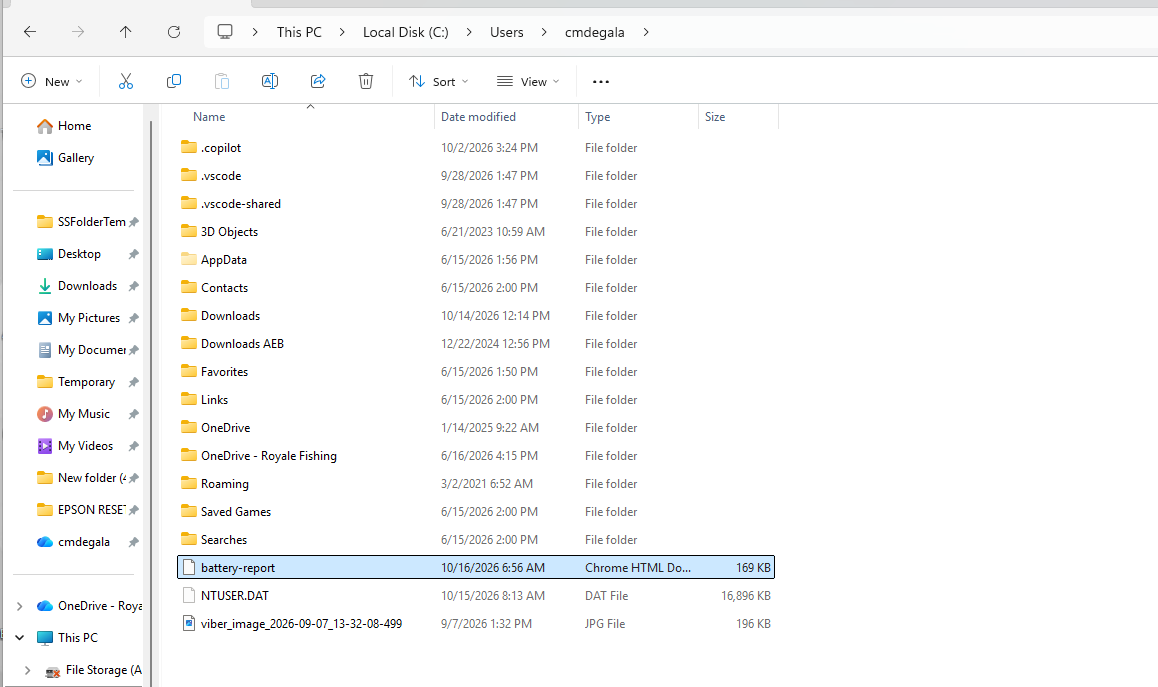
Step 2 You will see a reply from the cmd "Battery life report saved to file path C:\Users\cmdegala\battery-report.html." where your battery report is saved and you can go there to view it.
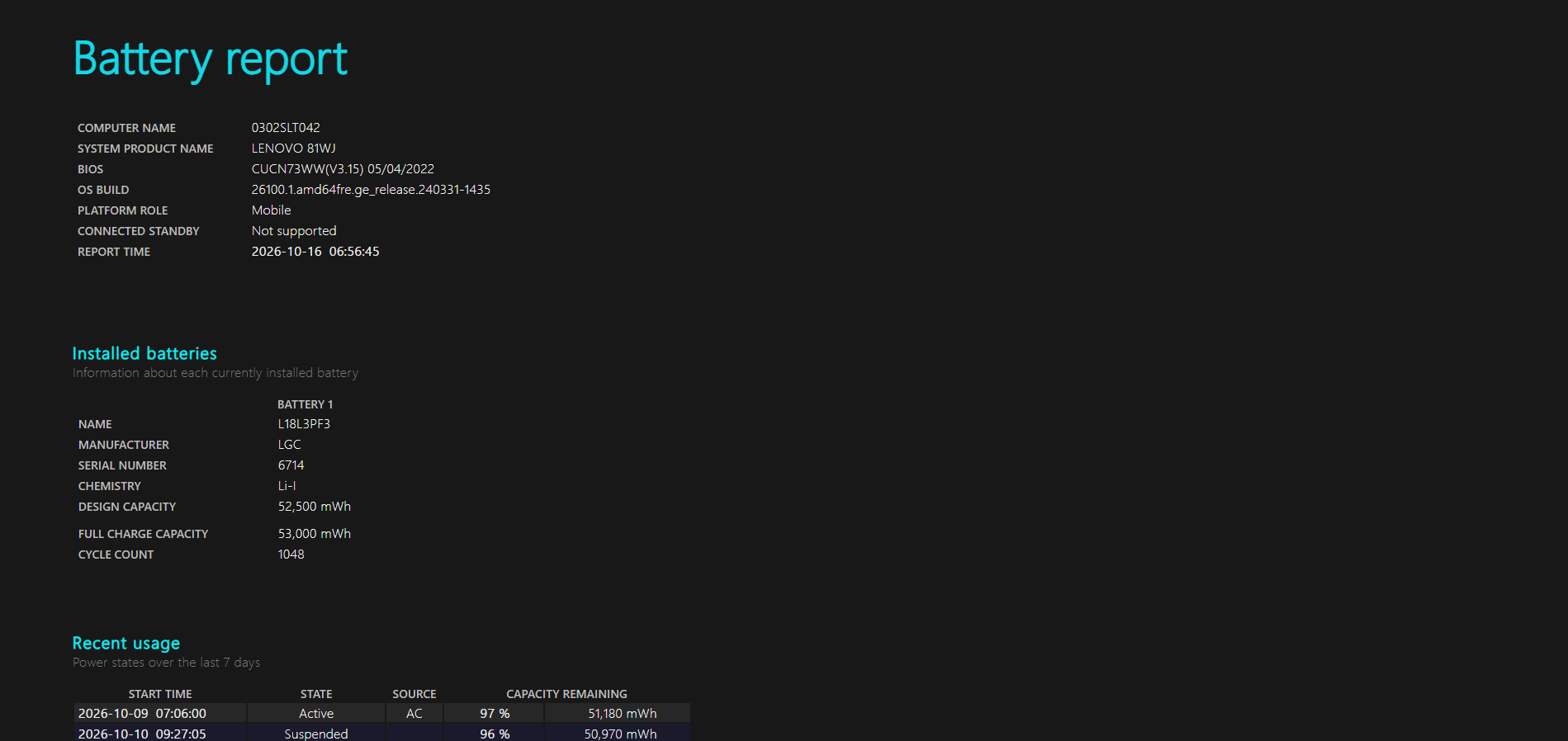
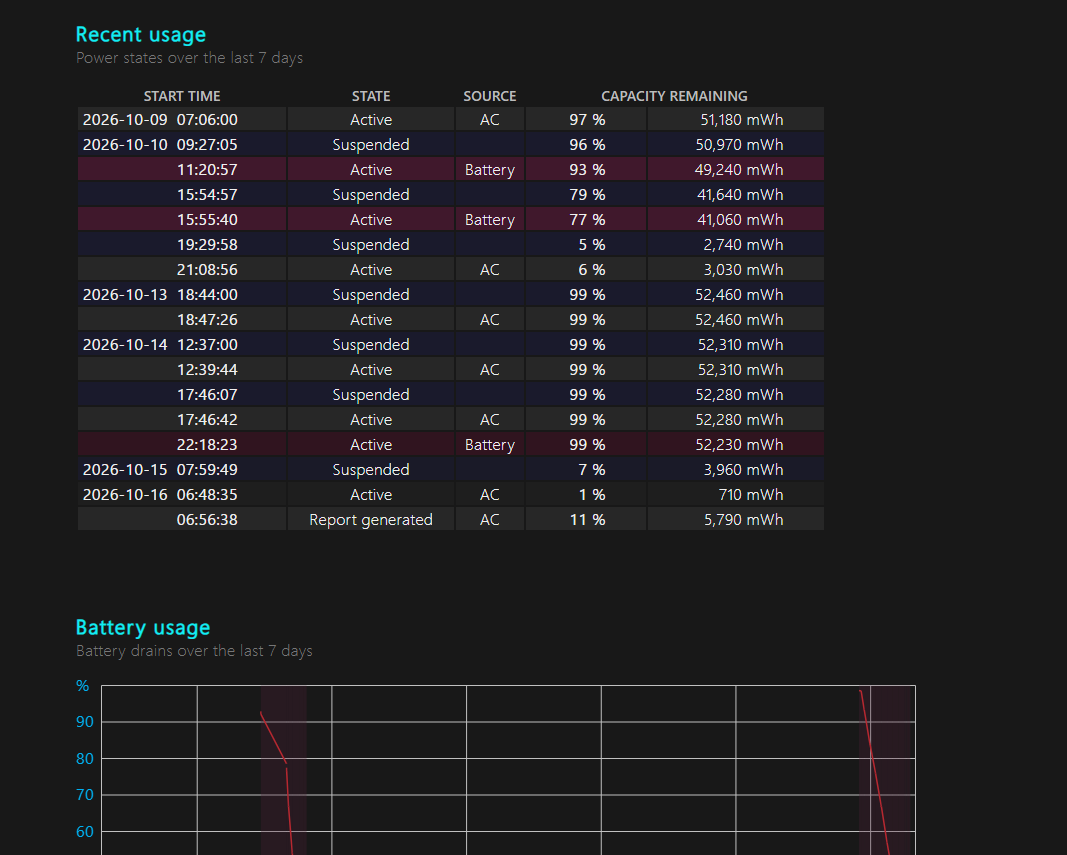
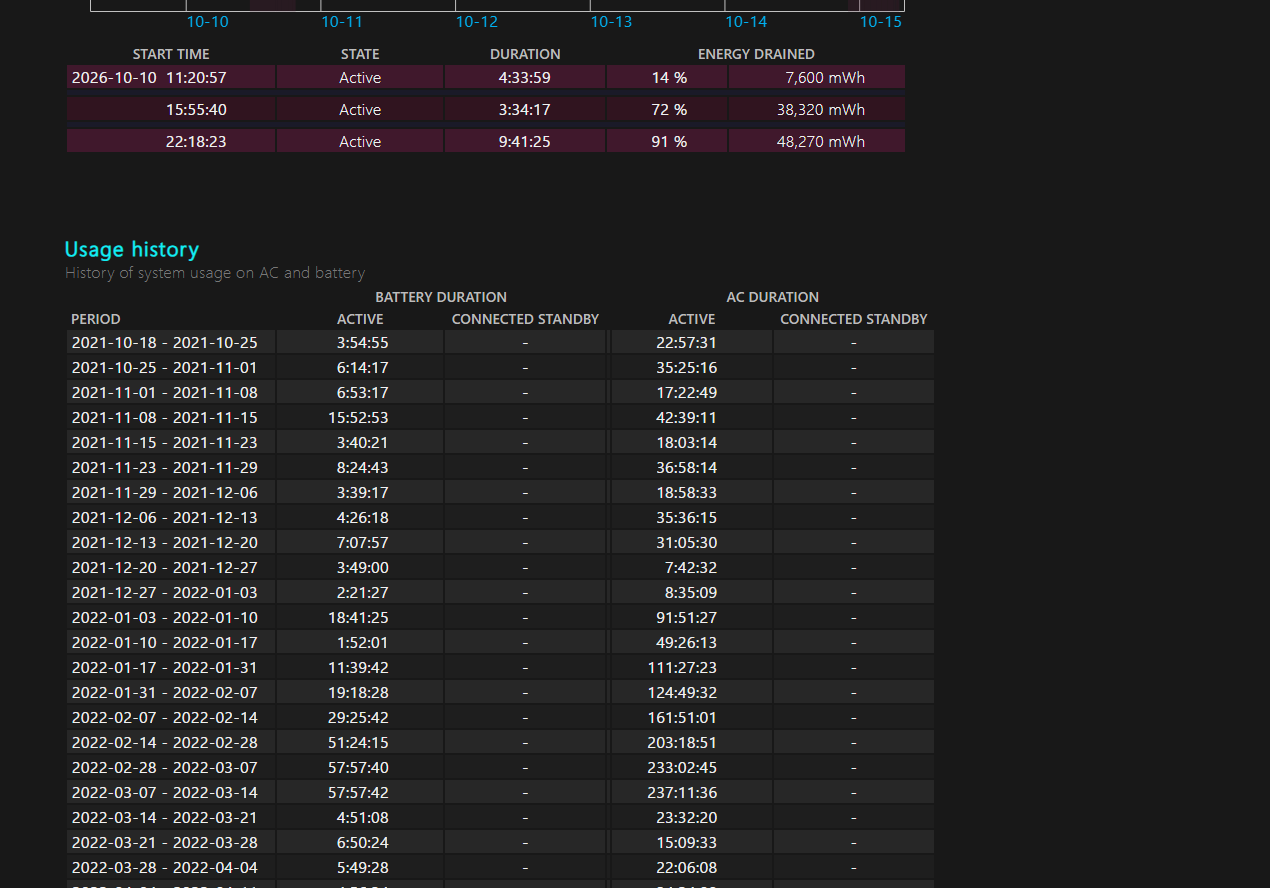
Example of Full Report of the Battery Lifespan
Was this article helpful?
That’s Great!
Thank you for your feedback
Sorry! We couldn't be helpful
Thank you for your feedback
Feedback sent
We appreciate your effort and will try to fix the article