STEP 1:
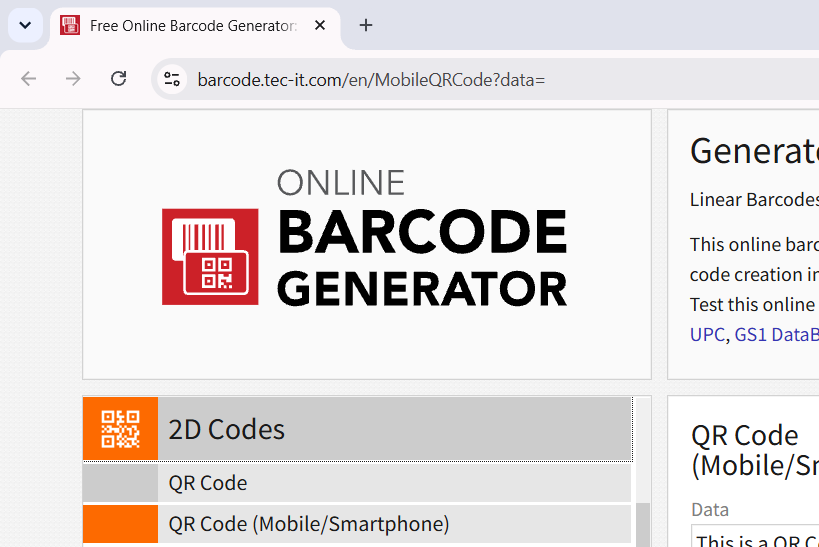
- Go to Barcode Generator Website at https://barcode.tec-it.com/en/MobileQRCode?data=
STEP 2:
- Click on "2D Codes" to expand selection then Click on "QR Code (Mobile/Smartphone)".
STEP 3:
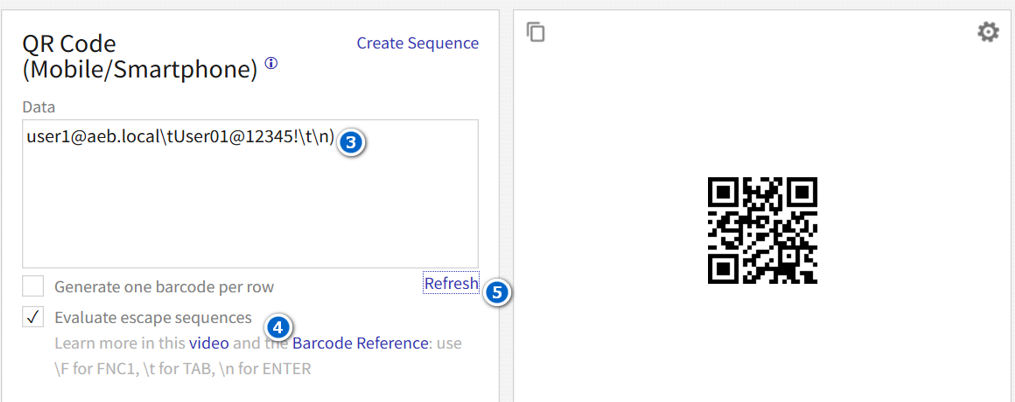
- Paste the Final Code Format to the Data field (3), then Check "Evaluate escape sequences" (4), then Click on Refresh (5) to automatically generate the QR code on the right side.
Note:
- Please refer on this guide on how to create the Final Code Format below:

Was this article helpful?
That’s Great!
Thank you for your feedback
Sorry! We couldn't be helpful
Thank you for your feedback
Feedback sent
We appreciate your effort and will try to fix the article